Suppose Logcat gives you the class name of a settings screen, yet the app has no button that opens it. Root Activity Launcher APK lets you find that registered component and try it directly. It can also start a service or send a broadcast when you already know which target to call. This is a tool for inspecting and launching Android app components, not a replacement for the phone’s home screen.

Finding the entry behind a hidden screen
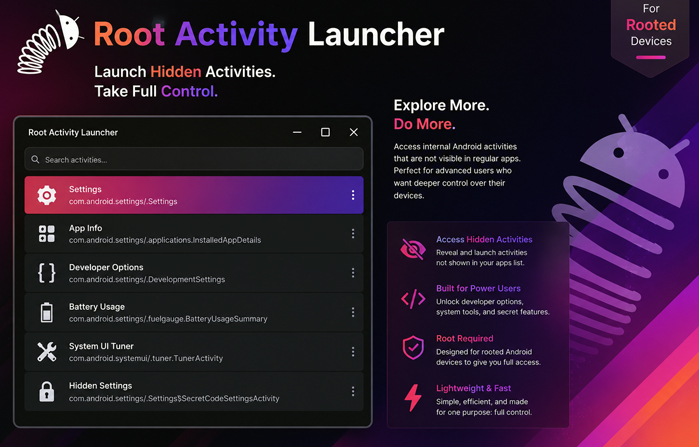
Tapping an icon normally opens one designated activity. The same package may contain setup steps, diagnostic pages, and settings panels that appear only under certain conditions. Here, those entries are shown with their Android class names. That becomes useful when several screens share a vague label, or when a system package contains dozens of entries with no readable label at all.
Filters cut that list down by state and access. A disabled item and an unexported one may look like similar dead ends, but they describe different things: one entry has been switched off, while the other is not meant to accept an ordinary call from a different app. Knowing which case you are looking at saves a lot of blind tapping.
Once a screen opens correctly on its own, it can be kept as a favorite or placed on the home screen as a shortcut. The shortcut does not remove the screen’s dependencies. Some internal pages expect a previous step to create a session or prepare data, so a direct launch may produce an empty layout or close immediately.
A component may expect more than a tap
Not every launch produces a screen. Services and broadcast receivers often do their work out of sight.
A receiver still needs the broadcast action it was written to handle, and an activity may be waiting for data from the screen that usually opens it. Android carries these details in an intent. A file-related page might need a URI; another could be waiting for an ID or a true-or-false flag. Select the correct class but leave out that context, and the target may have nothing useful to do.
The extras editor accepts text, numbers, Boolean values, and other supported data types. Their names and types must match the target app exactly. Sending text where the code expects a Boolean will not turn it into the right request. The intent’s action and data address can matter just as much, and none of them can be inferred reliably from a class name. When those details are unknown, source code, developer documentation, or Logcat is the sensible place to look.
Root, Shizuku, and the target app’s limits
An exported component may accept calls from outside its own package, subject to any permissions it declares. An unexported one is meant to stay internal. Root is not required for every launch: exported, permission-free items can be opened normally, and their intents can still be edited. Tap a restricted entry on a non-rooted phone, though, and Android may reject the call before the target app receives it.
Root access allows the app to attempt protected or unexported activities, start services, and change whether a component is enabled. The official project supports Shizuku as another privileged route. Shizuku must already be running and separately authorized; installing this APK does not configure that access.
Even a privileged launch can end on a blank page or close at once. A manufacturer-specific panel may depend on hardware or a framework service that another phone lacks. An account page might expect a session prepared earlier in the app. Root changes how the request reaches the component; it does not rebuild the state that component needs.
Opening a component is temporary. Disabling one changes how the app behaves afterward. Switch off the wrong receiver and the app may stop reacting after a reboot or package update; turn off a service and its background task may disappear. Write down the original setting, change one item, and check the result before moving to the next.
The modified package supplied here is marked Paid. No additional mod behavior has been confirmed. That status does not override Android permissions or the target app’s own checks.



Leave a Reply