
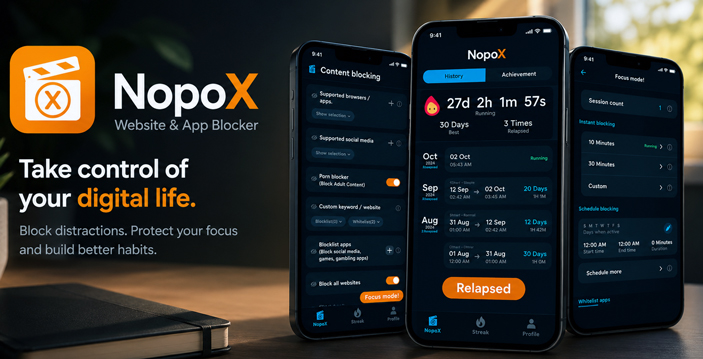
NopoX blocks access to explicit content where a habit usually begins. Sometimes that is one familiar website. In other cases, the route starts with a search or an app being opened without thinking. NopoX Porn Blocker Mod APK can restrict each of those points on Android and make protected settings slower to change. Dlandroid marks the supplied package as a Premium mod. That is the only mod detail confirmed for the file.
Match the Rule to the Route
Blocking one address is straightforward. A keyword needs more care. The term may also appear on an unrelated page. When the habit starts by tapping an app, block the app itself. A growing list of website addresses will leave that route open.
The browser filter has a boundary. The developer describes support for mobile browsers, including Incognito Mode, but does not claim every Android browser. SafeSearch can be applied to Google and Bing, and YouTube searches have a separate filter. These settings do not automatically reach into the feed of another app. If that feed is the problem, the app needs its own restriction.
Some distractions are only a problem at the wrong hour. A game that causes no trouble in the evening may keep breaking a morning study session. Focus scheduling can make it unavailable during those hours. Anything left outside the schedule remains open.
The Settings Screen Is Part of the Block
A restriction often feels reasonable until it interrupts the exact action it was created to stop. NopoX can place a delay or a long-sentence confirmation before a protected setting is changed. The user can still continue, but not with one quick tap.
An accountability partner moves that decision out of the user’s immediate control. Protected options may stay locked until the partner approves a request. Choose someone who is easy to reach. Otherwise, a legitimate change may be delayed simply because the request has not been seen.
Uninstall protection relies on Android’s Device Administrator access and is intended to prevent quick removal. Accessibility Service allows NopoX to notice a restricted website or app. Screen overlay access then places the blocking message in front of it. If one of these permissions is disabled, the related protection loses what it needs to operate. When a block screen stops appearing, these Android permissions are the first place worth checking.
Accessibility and Device Administrator are broad permissions, so the privacy disclosures matter here. Google Play says core filtering happens on the device and personal browsing logs remain on the phone. Its Data safety section still lists collected or shared categories, while the linked privacy policy discusses device identifiers, usage analytics, crash information, and personalized advertising. Local website filtering does not mean the app uses no other data.
Parents may consider the approval controls, but the developer’s privacy policy says the service is not directed at children under 13. A parent setting it up for a younger child should take that age limit into account.

Leave a Reply