
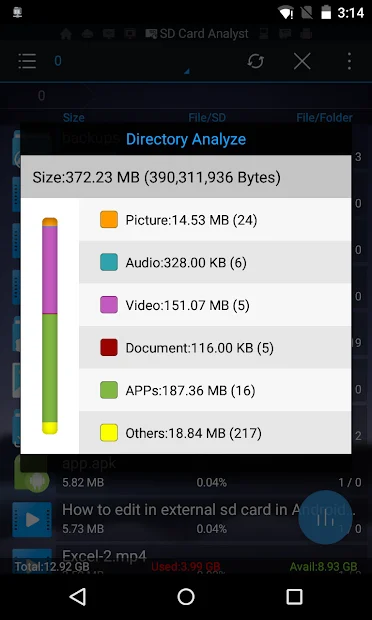
Moving files between Android storage and an SD card was a core job for ES File Explorer Pro. Its file browser let you work through folders and check storage use in the same app. Instead of checking folders one by one, you could use the SD card analyzer to see where the space had gone.
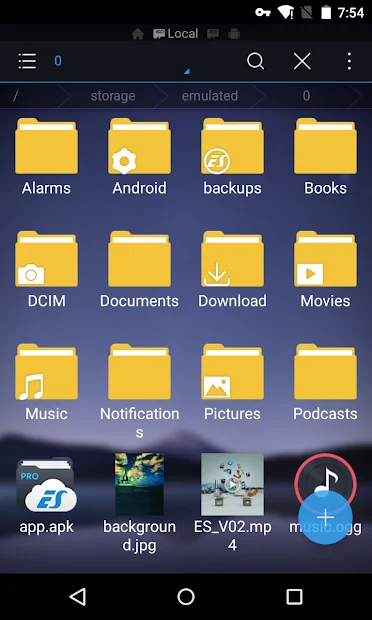
In the original Pro app, you could select related documents as a group before copying or moving them to their destination. Folder browsing and multiple selection are the everyday tasks behind ES File Explorer Pro Mod Apk. The browser could also rename a file, search within storage and bookmark a folder you opened regularly. A bookmark made a project folder easier to reach after the next batch of documents arrived.
Folder views and storage use
The original app had media libraries for pictures, music and video alongside its file view. A library can help when you recognize a photograph or a recording but cannot remember the folder it came from. Thumbnails give you another point of reference in a directory where the camera has assigned each image a name made up of numbers. The text viewer provided a way to check a plain text note from the file browser.
The storage analysis tool showed how space in a directory was divided between categories. In the original interface, the breakdown included pictures, audio, video, documents and apps. A large video category suggests a useful first place to look if you need room for a new recording. Open that folder and check the individual files before moving anything. You can then keep related clips together on the card and see how much internal storage the move freed.
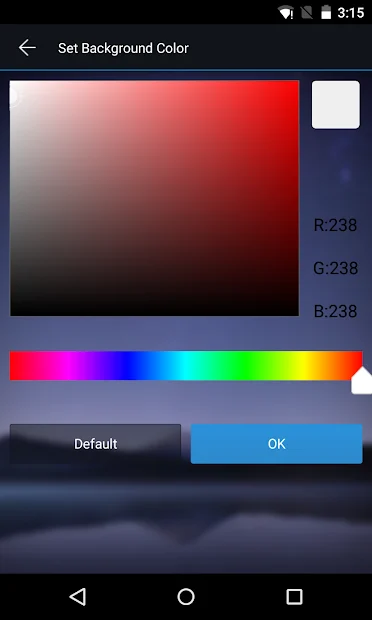
The original Pro edition offered choices for the start page and the look of the browser. A different start page was useful if the same part of your storage usually held the files you needed. The color panel let you pick a background that made file and folder names easy to read. A Material-style theme was also offered separately for the Pro edition.
Archives and copies
The archive tools could open ZIP files and unpack formats such as RAR and 7z. If someone hands you a folder of reference files as a ZIP, extract it where you want those files to stay. The original app could also put a group of files into a ZIP for sending as one item. A folder of related documents can then be shared with its names and organization intact.
The historic edition included routes to files outside the phone too. Its published feature list covered Wi-Fi file transfer and access to a computer’s shared folders over SMB. On a network you manage, an SMB share could hold exported documents from the phone and make them available from the computer. That was useful for handing a folder of notes from one device to the other without moving the SD card.
Copies of installed apps
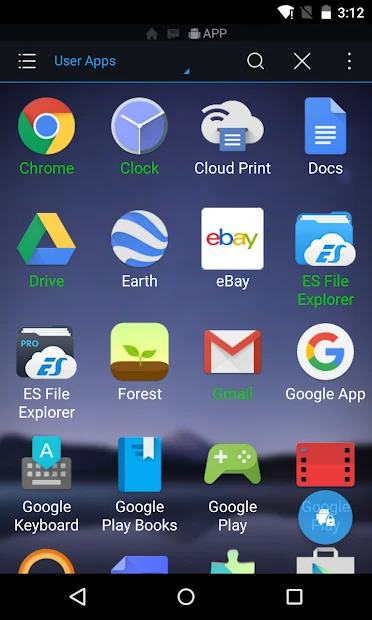
There was also an app library for managing software already on the phone. Its Backup command could save the installer for an eligible app into the backups folder. To keep a personal copy of a free app, select it from the app library and use Backup. The backups folder held the captured installer. An installer is useful for reinstalling an eligible app, but it does not preserve that app’s settings or the documents you made in it.


Leave a Reply