
Code Editor from Rhythm Software treats source files as code rather than ordinary notes. Open a PHP script and its syntax remains visible; move to HTML, JavaScript, Python, or C++ and the editor adjusts to the new language. Several documents can sit in separate tabs, which matters when a small correction crosses a stylesheet, a script, and the page using both. Dlandroid carries the Code Editor Mod APK as the Pro build.
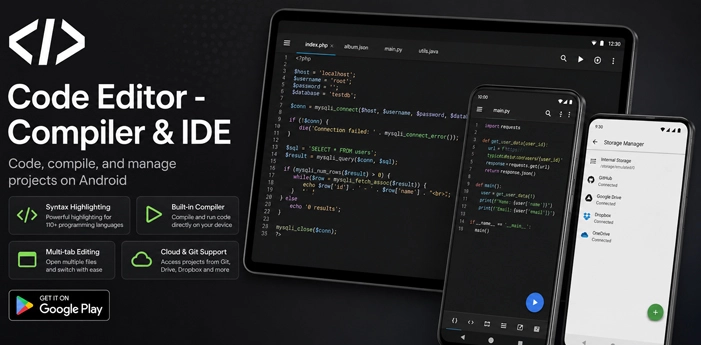
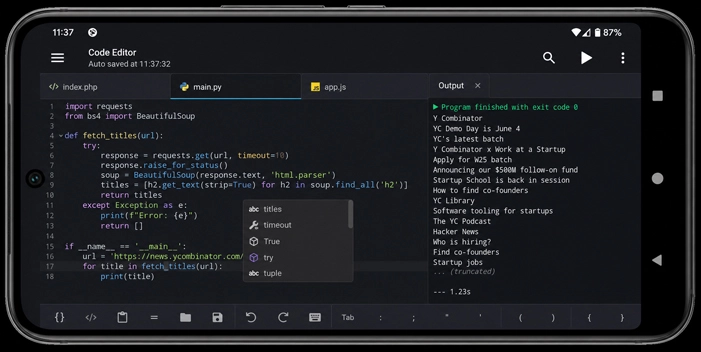
Syntax highlighting covers more than 110 programming and markup languages. The file extension usually tells the app which one to use, so main.py opens with Python formatting without any setup. When a custom template or configuration file has an unfamiliar extension, its language can be chosen manually and saved as a new association.
Files Stay Close to the Edit
The folder drawer is tied to the document currently in view. With index.html open, it displays nearby files from the same project. Switch to a file stored on an SFTP server and the drawer follows that remote location instead. There is no need to leave the editor and search for the neighboring file again.
While tracing a missing bracket, matching-parenthesis highlighting points to its partner. Spaces and tabs can also be made visible when an indentation problem refuses to stand out. Search and replace accepts regular expressions, and a bulk change that catches the wrong lines can be rolled back through the undo history.
Code folding moves finished sections out of sight while a particular function is being edited. The app also recognizes physical keyboard shortcuts, leaving more room on a phone or tablet screen for the code itself.
From a Phone Folder to a Server
Files do not have to be copied onto the device before they can be edited. The storage manager connects to FTP, FTPS, SFTP, and WebDAV servers. GitHub and GitLab repositories can be reached with an access token, while Google Drive, Dropbox, and OneDrive are added through their account permission screens.
Remote documents open through the same interface as local files. A webmaster can correct a configuration line or update a small site file without first moving it through another file manager. Saving still depends on the connected account or server allowing changes in that location.
Web work can remain inside the editor as well. Emmet expands abbreviations into HTML and CSS structures, while HTML and Markdown documents can be viewed in the built-in preview. JavaScript has its own console for checking code. One limitation is easy to miss: local stylesheets, images, and other linked resources need relative paths or the preview may display the main document without loading everything around it.
The Run Button Has a Smaller Job
Press Run on a supported file, and the Code Editor sends that document to its online compiler. The service understands more than 30 languages, including Python, Java, C, C++, PHP, Rust, Kotlin, and JavaScript. Compilation does not happen on the phone, so this feature cannot return a result without an internet connection.
Only the file currently open is sent to the compiler. Anything divided between several classes or modules is out of scope, and a running program cannot pause while the user types a response. Java is a little stricter: its class must be called Main.


Leave a Reply