Disney+ APK for Android
Stream Disney, Pixar, Marvel, Star Wars, and National Geographic in an app made for Android. The full lineup comes with you—new releases, Originals like The Mandalorian and Loki, classic animation, documentaries, and family picks—with controls that feel natural on touch screens and one-hand use.
Using Disney+ on Android
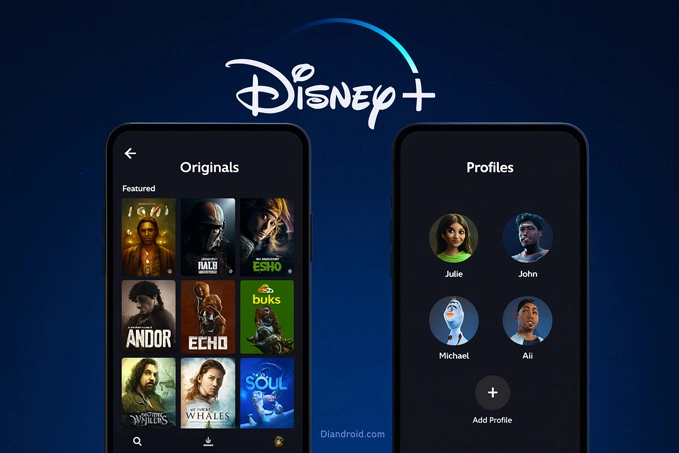
The Home view is clean and quick. Brand hubs keep titles grouped, Search responds fast, and the Continue Watching row is right where you left it. Create separate profiles for personal recommendations; a Kids Profile trims the catalog to age-appropriate choices. Subtitles and extra language tracks are simple to switch on, and many films include descriptive audio for people who need it.
Video and audio
On phones, tablets, and Android TV gear that can handle it, Disney+ plays up to 4K. When a title ships with HDR, you’ll get HDR10 or Dolby Vision automatically, and Dolby Atmos engages on compatible speakers. If your connection slows, playback steps down to HD instead of freezing. Casting to Chromecast or Android TV is straightforward; with an HDCP-friendly HDMI path you’ll see the best resolution your setup allows.
Saving shows for offline
Episodes and films can be stored on multiple devices signed in to the same account. Choose a download quality that matches your storage or data plan, and let watched items auto-remove so the phone stays light—ideal for flights and daily commutes.
Phones, tablets, and casting
The APK runs well on recent Android versions and hands off neatly to Android TV. Moving to a different country changes the available catalog; some downloads may need a fresh license after you arrive.
Install with Split APKs Installer (SAI)
Disney+ is often delivered as a split package. A clean install with SAI is simple:
- Get the Split APKs Installer (SAI) app from a trusted source.
- Download the Disney+ bundle to your device (
.apkm,.xapk, or.apks). - Open SAI → Install APKs → choose the bundle. If Android prompts you, allow installs from SAI.
- Wait for SAI to finish installing all splits, then open Disney+ and sign in.
Small settings that help
- Turn on Save Data when you’re on mobile networks to trim bitrate with little impact on small screens.
- Manage space from the Downloads tab and clear watched episodes regularly.
- Lock a Kids Profile with a PIN for safer browsing.
- During playback, use the speech-bubble icon to change audio or subtitles; some builds also let you adjust caption size.
When things misbehave
Stuck on a spinner or seeing “Unable to connect”? Toggle airplane mode off/on and try again. If it keeps happening, clear the app cache, switch to the other Wi-Fi band (2.4 ↔ 5 GHz) to dodge congestion, and set a different DNS (your router’s default or a reputable public resolver). In practice, these tweaks fix most connection hiccups without touching any account settings. If casting won’t go past HD, power-cycle the TV and casting device to refresh the HDCP handshake and check the HDMI path. Download errors usually trace back to storage limits or battery optimization—free space, disable optimization for Disney+ and SAI, and retry on stable Wi-Fi. If installation never starts, make sure you used SAI and that its “install unknown apps” permission is enabled.
Highlights to explore
From Pixar shorts and Disney’s classics to the MCU timeline, Star Wars series, and Nat Geo docs, the Android app mirrors the full platform. Add new and coming titles to your Watchlist so they surface on Home, and let Continue Watching drop you back in across devices.
Subscription, region, and safety
An active Disney+ membership is required to sign in. What you can watch—and the formats you get—depend on plan, device, and location. Set a unique account password, and put a PIN on any profile you’d rather keep unchanged.
Notes for this Disney+ APK download
This page keeps things practical: install with SAI, set up space-savvy downloads, and use the quick fixes above when something acts up. If you’re moving to a new phone, sign out on the previous device to open a stream slot, then log in on the replacement.


I tried this out myself and it won’t let you stay premium forever if you’re on free trial- this is for members who already a paid customer who is paying there service but no ads involved when using this modded version. I am disappointed in the modders- this should be called Mod APK (Ad-Free) We need a proper mod yo trick the server that non customers who can’t afford it- will have Premium features without an account and bot pay it. 1/5 stars.
Which country’s VPN should I use?
Do I need to register first? How do I do it? Do I actually needs to put my credit infos so I can get it? I was able to install it but I’m lost now
Is this just a regular app or paid?
paid