
zFont 3 Mod APK – Custom Fonts and Emojis Without Root
Changing the font on your Android phone usually means digging through settings, flashing stuff, or dealing with root. But with zFont 3 Mod APK, it’s a whole different story.
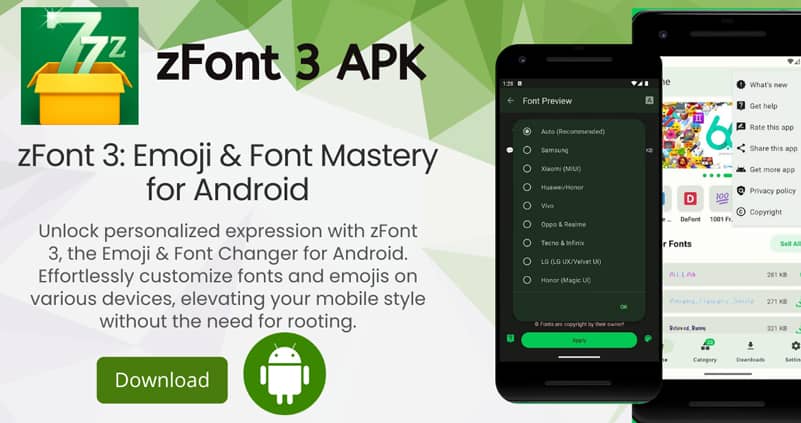
This version gives you full access to fonts, emojis, and styles without asking for root access — and no ads to slow you down. Just install the app, pick a style, and follow the steps based on your device brand. That’s it.
What Makes It So Useful?
If you’re tired of the same old default font or just want your Instagram bio or captions to stand out, zFont does the job fast. No weird setups. No extra tools.
Here’s what I personally liked:
- It works on almost every Android brand — Samsung, Xiaomi, Oppo, Vivo, Huawei, Tecno…
- You don’t need root for most phones. For some models, it just asks to change the region (like switching to Myanmar).
- Fonts actually apply system-wide — not just inside the app.
- You can mix fonts with emojis, symbols, or even make your own style.
- The UI is clean, and you don’t get slammed with ads every two taps.
Supported Devices & Versions
I was surprised how many phones are supported out of the box. If you’re using Samsung (OneUI), MIUI, Realme, Huawei, Infinix, LG, or even older devices running Android 6, chances are it’ll work fine.
Some phones ask for basic changes — like enabling a custom font setting, or changing the region — but it doesn’t go anywhere near root-level stuff.
Installing zFont 3 Mod APK
- Delete any previous version of zFont (if you had one installed).
- Enable “Install from unknown sources” in your device settings.
- Install the Mod APK file.
- Launch the app and start browsing fonts.
- Choose the font you like, and follow the on-screen guide.
That’s really it. No flashing, no recovery, no Magisk modules (unless you want to go advanced).
Good to Know
- Works great for customizing social media profiles
- Helps you stand out with fonts & symbols others don’t use
- Safe, lightweight, and doesn’t mess with your system files
Want your phone to finally look the way you want — without root, ads, or boring default fonts?
Try this Mod version of zFont 3 and give your device a proper style upgrade.


Leave a Reply