Waffle KWGT is the kind of widget pack that looks simple at first, but its real value shows up after you place it on the home screen. It is built around square tiles, soft spacing, readable text, and small dashboard-style blocks that make Android customization feel more organized without turning the screen into a busy mess.
This APK is made for KWGT Pro, so it should not be treated like a normal launcher or a standalone widget app. Waffle only works after KWGT and KWGT Pro are already installed. Once those apps are ready, you can add an empty KWGT widget to the home screen, open it, and then choose Waffle from the installed presets. That small detail matters, because many users install the pack and think something is broken when nothing appears by itself.
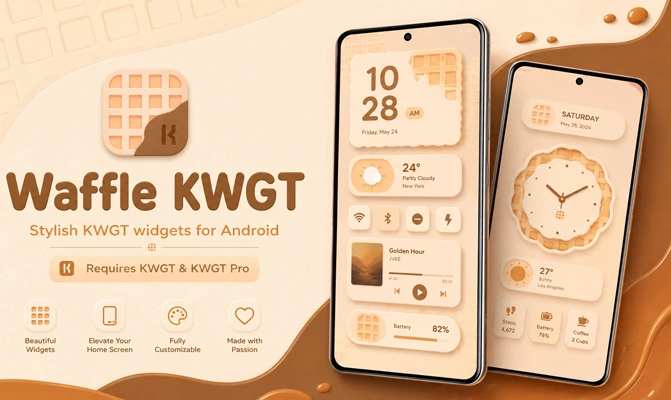
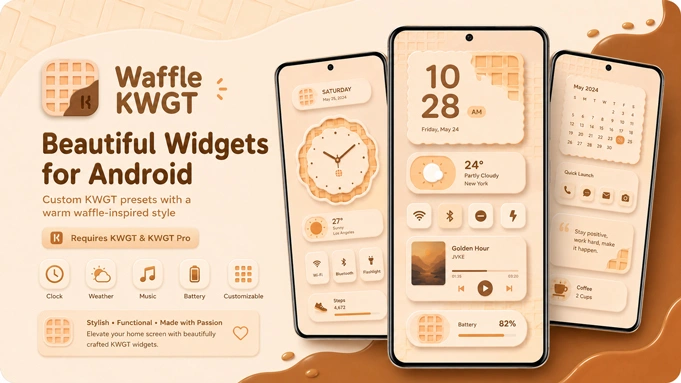
The style is especially good for people who like tile-based home screens. The widgets can show time, date, battery status, weather, calendar details, and other quick information in a layout that feels neat without looking boring. It has that compact Android dashboard feeling, but it still leaves enough room for wallpapers and icon packs to stand out.
Waffle KWGT Setup
The setup process is not difficult, but it needs to be done in the right order. Install KWGT, unlock it with KWGT Pro, then install Waffle. After that, long press the home screen, add a KWGT widget in the size you want, tap the blank widget area, and load one of the Waffle presets. From there, the design can be resized, edited, or adjusted inside the KWGT editor.
Small Widget Size Fix
A widget may sometimes land on the screen looking tighter than expected, almost like the tile was made for a smaller grid. Stretching it from the launcher does not always solve that properly. The cleaner fix is inside KWGT itself. Tap into the loaded preset, check the Layer area, and raise the Scale value a little until the tile sits naturally in the space. It is a small adjustment, but it can turn a cramped widget into something that actually looks made for your screen.
Tiles With Missing Icons or Text
Now and then, a Waffle preset can load with an empty icon spot, frozen info, or text that refuses to show. This usually happens when KWGT gets stuck while refreshing the widget data. Clear the KWGT cache, force stop the app, and open the widget again. Most of the time, that refresh is enough. In a few cases, loading the same preset again fixes the tile without touching the whole setup.
Waffle KWGT works best when it is paired with a simple wallpaper, matching icons, and a launcher that allows custom grid sizes. The pack gives you a ready-made structure, but the final look still depends on how you arrange everything around it. That is where it becomes useful: you are not starting from zero, but you still have enough control to make the setup feel personal.
For Android users who enjoy KWGT customization, Waffle KWGT APK brings a tidy square-widget style that is easy to edit, light on the screen, and practical for daily use. It is not made to impress with heavy effects. It is made to give your home screen a sharper layout with information you can actually read at a glance.

Leave a Reply