
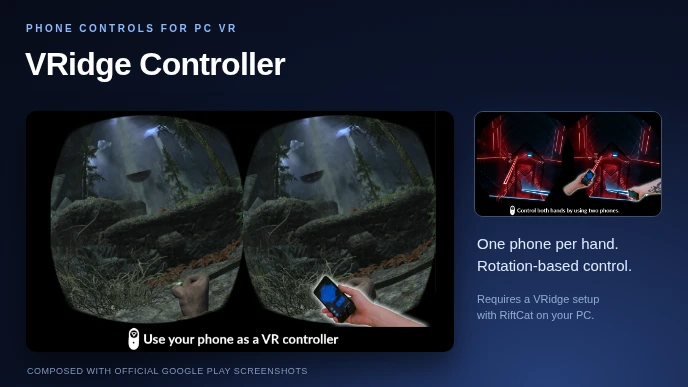
VRidge Controller turns an Android phone into a handheld controller for a VRidge setup in SteamVR. Hold the phone in your hand and use its sensors and on-screen controls for input. Two controller phones let you represent both hands.
The PC and headset come first
This is the controller app, while VRidge handles the PC VR streaming setup. You need RiftCat on the PC and a working VRidge headset connection before adding the phone you will hold. Installing the controller alone does not create that setup.
DLAndroid labels the APK Patched. Check RiftCat’s requirements for your phone and PC setup before installing. The label gives no details about what the patch changes or whether it includes a desktop VRidge license.
The developer describes the controller as 3-DOF. That means rotational tracking: the direction you point matters, while the system does not provide full tracking of your hand’s physical position around the room. Tracking quality also depends on the sensors available in the particular phone.
Connect, choose a hand and reset
With RiftCat running, launch the controller on the same local network as the PC. It searches for the RiftCat client; select your PC when it appears. Extend your arm forward and press Reset to establish the controller’s starting direction.
For a second controller, set one phone to the left hand and the other to the right. The hand assignment appears near the bottom of the controller screen. Recheck that assignment if both phones seem to control the same side.
Check the connection before the game
If the PC does not appear, first confirm that RiftCat is running and both devices are on the same local network. RiftCat’s help page also identifies blocked local connections as a common cause. Allow the application’s local connection through your firewall rather than switching protection off.


Leave a Reply