
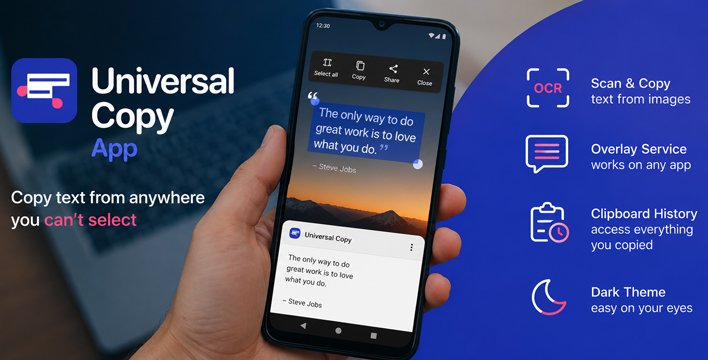
An error code appears inside an Android app, but long-pressing the line does nothing. Universal Copy APK places a temporary selection layer over that screen. You can copy the text to the clipboard before the message closes, while the original screen remains open underneath.
The layer can be opened from the notification shade or a Quick Settings tile. It relies on Android’s Accessibility service to read text exposed by the active window. That access may recover a label even when the source app has no selection command. Pixels are different.
To Android, a Screenshot Is Not a Sentence
Two lines can look identical on a phone and still be built in completely different ways. One may be a menu label that Android recognizes as text. The other may be baked into a screenshot or drawn as part of the interface. Normal mode can read the label. Scanner mode uses OCR for the pixels.
Scanner mode recognizes Latin, Chinese, Devanagari, Japanese, and Korean scripts. The source image still sets the limit. Faint lettering may disappear, and a textured background can split one sentence into several pieces. Check names and reference numbers before using the copied result elsewhere.
A Copy Session Can Outlast One Screen
A support email buried in an order receipt should not bring every nearby price and button with it. Universal Copy can isolate the address. Phone numbers, @mentions, and hashtags can be picked out in the same way. A selected sentence may also be sent straight to translation.
Several screens may each contain one detail worth keeping. With Harvest mode active, recognized items are collected as you move between them. The sentences around those items are left behind. Harvest suits contact details, not ordinary prose.
Scroll mode handles the opposite case. It keeps selected lines together when a document extends below the first screen or continues inside another app. The words stay in one copy. Their original formatting does not.
The Shortcut Can Disappear
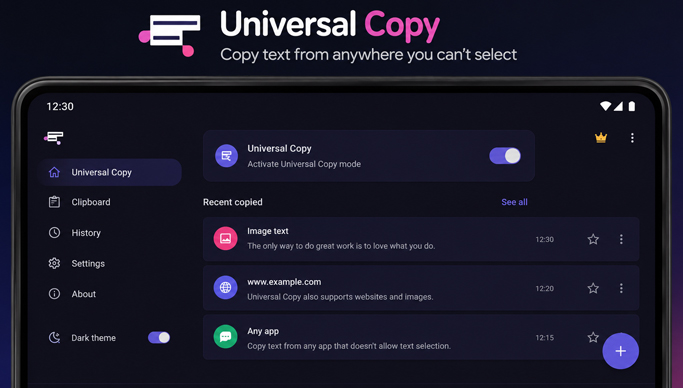
Android or a phone maker’s battery controls may later disable the Accessibility service. When the tile suddenly stops responding, check that service before reinstalling the APK. Some phones also need background activity to be allowed or battery optimization disabled for Universal Copy.
The official listing describes Plus as the option that removes advertising. Dlandroid labels the available file as a Mod APK with Plus Subscription access, and no other premium changes are specified. Accessibility is still required. A blurred image also remains a blurred source for OCR.



Leave a Reply