
Test Your Android Mod Apk: Whether you’ve just purchased a new smartphone or want to check the health of an older device, Test Your Android provides a simple way to evaluate your phone’s hardware and software. Instead of relying on multiple diagnostic apps, it brings dozens of testing tools together in one convenient package.
A Complete Hardware Testing Toolkit
Test Your Android is designed to verify that every important component of your smartphone is working correctly. It offers a collection of built-in tests that allow users to identify hardware issues, compare device performance, and inspect technical specifications without requiring advanced knowledge.
Whether you’re troubleshooting a problem or inspecting a second-hand phone before buying it, the app can be an invaluable companion.
Key Features
Comprehensive Hardware Tests
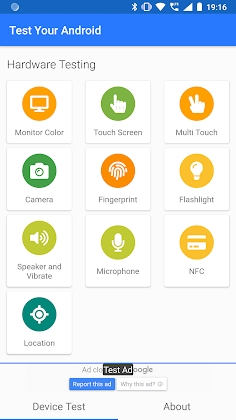
Run diagnostic tests for your display, touchscreen, speakers, microphone, camera, vibration motor, flashlight, and other essential hardware components.
Sensor Analysis
Check the functionality of built-in sensors, including the accelerometer, gyroscope, proximity sensor, compass, ambient light sensor, and more.
Device Information
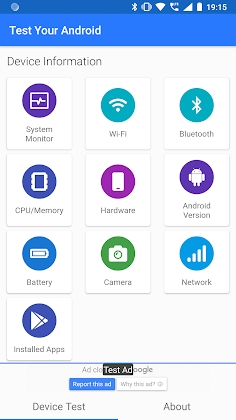
View detailed specifications such as processor model, RAM, storage capacity, Android version, screen resolution, and system architecture.
Battery Monitoring
Track battery status, charging information, temperature, voltage, and overall health to better understand your device’s power performance.
Performance Benchmarking
Evaluate your smartphone’s capabilities through performance tests and compare the results with previous runs.
Perfect for Everyday Users and Technicians
Test Your Android is useful in many situations, including:
- Checking a newly purchased smartphone
- Diagnosing hardware problems
- Testing a refurbished or second-hand device
- Monitoring battery condition
- Verifying sensors after repairs
- Reviewing complete system specifications
Why Users Choose Test Your Android
All-in-One Solution
Instead of installing several diagnostic utilities, you can perform most hardware checks from a single application.
Easy-to-Understand Results
Each test displays clear feedback, helping users quickly determine whether a component is functioning properly.
Helpful Before Buying Used Phones
Running a full diagnostic can reveal hidden issues that aren’t immediately visible during a basic inspection.
Lightweight and Efficient
The app performs a wide range of tests without consuming excessive system resources.
Tips for Accurate Testing
Charge Your Battery First
A sufficient battery level helps ensure consistent results during performance tests.
Remove Thick Screen Protectors
If testing touchscreen responsiveness, accessories may interfere with accuracy.
Test in a Quiet Environment
Speaker and microphone tests are easier to evaluate without background noise.
Run Multiple Tests
Repeating certain diagnostics can help confirm whether an issue is temporary or persistent.
Getting Started
Install the App
Download and install Test Your Android on your Android device.
--WiFi-Speed-Test-3.jpg)

Leave a Reply