
SPlayer Video Player APK for Android is a practical pick for people who watch local videos a lot and want fast controls, solid subtitle tools, and an interface that stays simple. It plays common formats smoothly on most phones, and it keeps the important settings close enough that you can fix small annoyances without digging through endless menus.
What SPlayer does well in normal day-to-day use
It’s built around the stuff you touch all the time: opening files fast, scrubbing through long videos without lag, fixing subtitles when they look wrong, and switching tracks without a headache.
- Plays most common video/audio files smoothly, and usually takes advantage of your phone’s hardware for better performance
- Feels snappy when you jump forward/back or drag the timeline during long videos
- Gives you subtitle controls that are easy to reach, including size, position, and timing
- Supports floating playback on compatible Android versions so you can keep watching while using other apps
- Works with casting on many setups when you want the video on a TV
- Lets you browse folders and keep episodes/clips in order without extra work
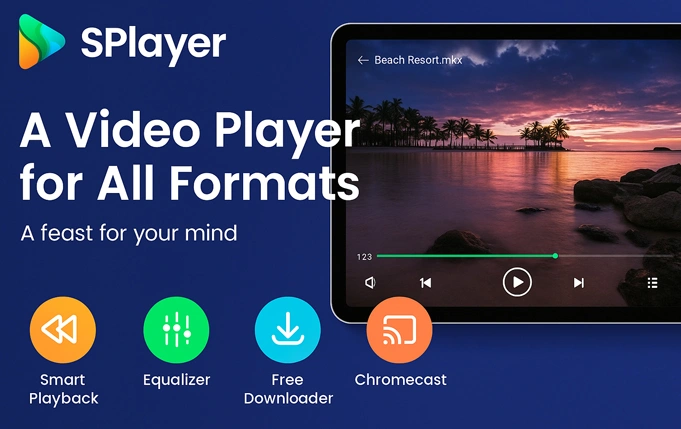
SPlayer Mod APK and the no-ads experience
A lot of people land on this post through searches like SPlayer Mod APK, SPlayer Mod APK no ads, or SPlayer premium APK. Most modded builds aim to cut out ad popups and unlock premium-style options so the app feels less distracting while you browse files, change subtitles, or switch tracks. Because different uploads can behave differently, it’s smart to double-check the release details and confirm the package name, especially if you’ve seen multiple “SPlayer” apps online.
Install steps that stay safe
Download the APK, then allow installs from unknown sources only for the app you used to download it, usually your browser or file manager. Install the file, open SPlayer once, and grant media/file access so it can detect your local videos. If your files don’t appear right away, open the folder from inside the app and it will usually refresh the list.
Small tweaks that noticeably improve results
Subtitle readability
Set subtitle size and vertical position once, then keep it consistent. This works especially well on tall screens where subtitles can sit too low by default.
Subtitle timing correction
When subtitles are slightly early or late, use subtitle delay in small steps. A tiny adjustment usually fixes it quicker than hunting down a completely different subtitle file.
Playback speed presets
Saving a preferred speed like 1.1x or 1.25x is handy for lectures, podcasts, and language learning. It keeps the voice easy to follow while you move through long videos at a more comfortable pace.
Decoding mode switch
Hardware decoding is the best default for smooth performance. When a specific file stutters, shows a black screen, or drops frames, switching decoding for that file can fix it.
Audio track selection
Some videos carry more than one audio track. Switching tracks inside the player solves many “no sound” situations without changing the file.
Troubleshooting shortcuts that work often
Missing audio on a specific video
Start with audio track selection, then toggle decoding mode for that file if the issue remains.
Subtitles display broken characters
Change subtitle encoding, then reload the subtitle. This is common with non-English subtitle files or older subtitle sources.
Casting fails or the cast icon disappears
Use the same Wi-Fi network on both devices, then restart the TV receiver app or the router. On some Android skins, allowing local network access improves casting reliability.
Floating playback closes immediately
Disable aggressive battery optimization for SPlayer and allow normal background activity. System-level background limits are the usual reason.
Local videos do not show up
Re-check media permissions and reopen the app. On newer Android versions, granting video access is separate from general storage access, so permission settings matter.
Performance tips for older phones
- Keep video folders simple and avoid very deep folder trees
- Close heavy background apps before high-bitrate playback
- Reduce optional visual effects if the phone heats up during long sessions
- Re-download a file when repeated crashes happen on the same video, since corruption is common with interrupted downloads
Practical fixes and quick notes
Subtitle sync fix in under a minute
Open subtitle delay and adjust in small steps until lips and text match. Keep the value saved for that file or source, then reuse it for similar uploads.
Better subtitle look for small screens
Increase font size slightly, move subtitles higher, and add a subtle outline if available. This improves readability without covering the bottom of the video.
Casting stability checklist
Same Wi-Fi network, stable signal, and a quick restart of the receiver device solves most cast failures. Local network permission on Android can also be a hidden blocker on certain brands.
No-sound playback recovery
Switch audio track first, then change decoding mode. This sequence fixes most cases without needing a separate converter.
Scan and folder refresh method
Open the target folder directly inside the app and play one file. Many players refresh the index immediately after a successful open, even when the first scan misses items.
App identity details for avoiding mix-ups
Apps with similar names show up across the web, so verifying the Android package name can help confirm the intended SPlayer build. The release many users associate with SPlayer Video Player is commonly listed under:
com.ttee.leeplayer
SPlayer works best for phone-first playback with subtitle control, quick gestures, and a straightforward layout. For users who want a player that stays fast, keeps distractions low, and still offers the settings that matter, it fits the job well.



Leave a Reply