
Moving between several tabs on a large phone gets irritating when the controls sit in the wrong place. Soul Browser Mod APK lets Android users change that part of the browser instead of living with a fixed layout. The search bar, tab bar, menu, and gesture actions are configurable. SoulSoft also includes tools for reading, downloading, and playing media, but the layout controls are what give the app its own character.
The mod information lists this build as ad-free, referring to advertising inside Soul Browser. Ads loaded by a website are handled separately by its content filters, Clean Mode, and manual Block Area. A stubborn banner may still require a filter change or a blocked area. The mod does not promise that every website will open without ads.
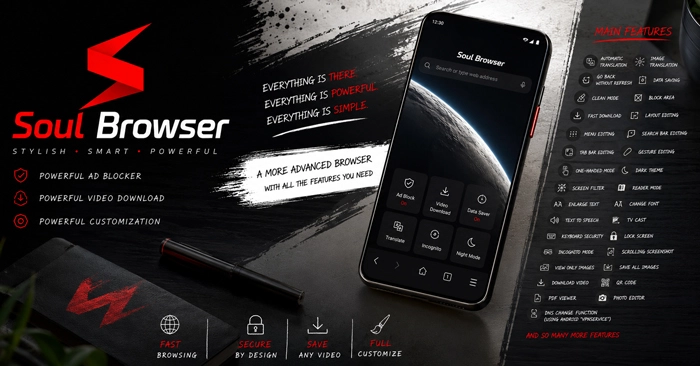
The layout is not locked in place
The menu can be reorganized around the commands that actually get used. A person who regularly saves files might keep Downloads near the top, while rarely touched items can be pushed farther down. The search and tab bars have their own editing controls, and One-Handed Mode helps on displays where the upper corner is difficult to reach.
With several tabs open, a swipe is easier than hunting for a small button. Gestures can be assigned to page and tab actions, though it is worth setting only the ones that are easy to remember. Soul Browser can also return to the previous page without refreshing it. After opening a result from a long list, going back does not force the entire page to load again.
A page can be translated, stripped back, or read aloud
Not every foreign-language page is made from selectable text. Some menus or captions are part of an image. Normal page translation handles the first case. Image Translation is meant for the words built into a picture.
Reader Mode strips away the floating buttons and crowded sidebars around a long article. The text can then be enlarged or displayed in another font. A local TTF file can replace a typeface that is hard to read. Text to Speech handles a longer article without first copying its paragraphs into another app.
At night, Dark Theme changes the browser and supported webpages, while Screen Filter can help when the display remains too bright. View Only Images removes the surrounding page and places the pictures in sequence. That suits a gallery or web comic. Save All Images is available when the individual files are needed.
Files, video, and private sessions
Several queued files do not all have to start together. Soul Browser can pause a transfer, limit how many downloads run at once, or reserve one for later. Video downloading is also available, although it depends on how each website delivers the media. A protected stream may not expose a file that the browser can save.
Downloaded clips and compatible web videos can be opened in the built-in player. A short clip can be placed on repeat. Picture-in-picture leaves a longer video visible above another app, and compatible web streams or files stored on the phone can be cast to a TV.
A scrolling screenshot can capture a receipt or reference article that extends beyond one screen. PDFs open inside the browser, and a webpage can be saved as a PDF when a fixed copy is needed.
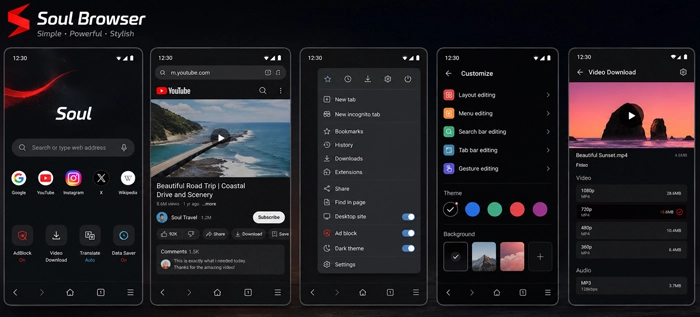
Incognito Mode keeps a session out of the normal local history. App Lock prevents someone holding the phone from casually opening the browser. Incognito is not an anonymity service; websites and the internet provider can still see the connection.
Soul Browser can be used without granting its optional Android permissions. Location, camera, or microphone access appears when a website needs the related function, while storage access is connected to file handling. Its DNS setting uses Android’s VpnService, so the VPN key may appear in the status bar while the setting is active. This changes DNS handling inside the browser. It does not provide a full VPN connection.



Leave a Reply