
Freelancers who send client documents from a phone will see two kinds of delivery in the official Proton Mail app. When a client also uses Proton Mail, the app encrypts the message end to end automatically. A client using another provider can still receive the document, but the choice of sending method matters. The two messages can look alike in the Android composer even though they receive different protection.
Proton addresses and outside inboxes
Between Proton Mail accounts, end-to-end encryption covers the message body and attachments. This keeps the contents encrypted between the sender and recipient. Proton also uses zero-access encryption for stored email contents and attachments in the mailbox. These protections apply in different places. End-to-end encryption concerns the path from sender to recipient, while zero-access encryption covers the copy held in Proton’s storage.
For regular mail sent to an outside inbox, Proton uses TLS when the receiving server supports it. TLS protects the connection while the message is transmitted. The copy at the receiving provider is still handled under that provider’s rules. The Password-protected Email option gives an outside recipient a separate way to read an end-to-end encrypted message. They receive an invitation to view it and use a password shared separately by the sender. They can also reply from the protected message page without creating a Proton account.
Reading and writing away from a connection
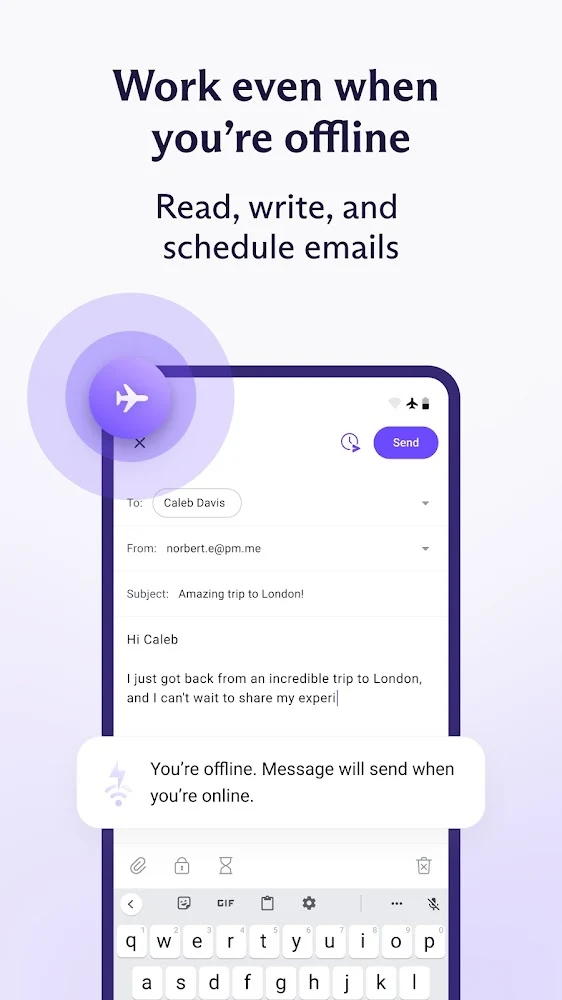
Offline mode on Android lets you read available mail and draft a reply when a train ride takes you out of range. You can get a message ready even when delivery has to wait for a connection. For reading in low light, a documented visual variant of ProtonMail – Encrypted Email Mod Apk uses pure black for the dark theme background.
Android also has familiar inbox tools such as folders and labels. A folder can hold a client’s correspondence while a label marks the messages still waiting for a response. On a small screen, that is a more specific way to retrieve a conversation than scanning the inbox for the latest subject that looks familiar.
Free and Mail Plus addresses
The free plan includes one encrypted email address. Mail Plus supports ten, enough to separate client work from several kinds of personal correspondence. End-to-end encryption between Proton accounts applies on both plans. The number of addresses changes how you can organize incoming mail.
Subject lines and reply limits
The subject remains outside end-to-end encryption, even when the message body and its documents use it. For correspondence with a client, a short, general subject lets the person recognize the exchange without exposing the details in the subject itself. The outside reply path has a separate limit. A recipient without a Proton Mail account can send up to five replies through the same password-protected email.


Leave a Reply