Managing files, modifying APKs, and exploring hidden system folders on Android—all of that became simple for me with MT Manager.
When I first downloaded MT Manager, I just wanted to explore what it could do. I never expected it to become one of my most-used apps.
Initially, I just wanted to clean up some files. But quickly, I saw its true potential. I was easily moving, renaming, and organizing files. Then I discovered I could also modify APKs, adjust resources, edit code, and re-sign apps—everything done straight from my device with no computer needed.
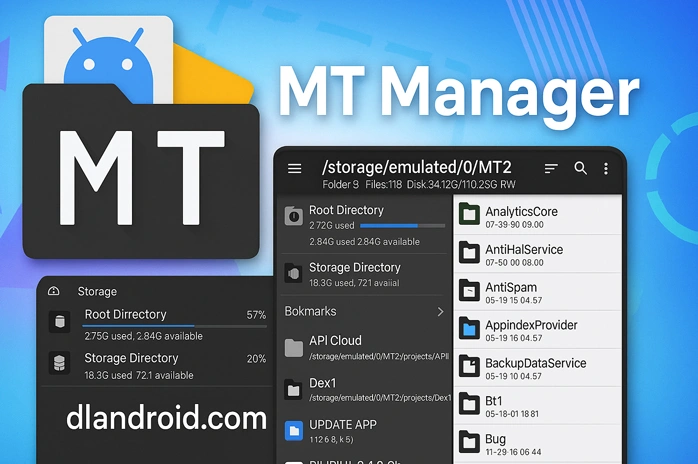
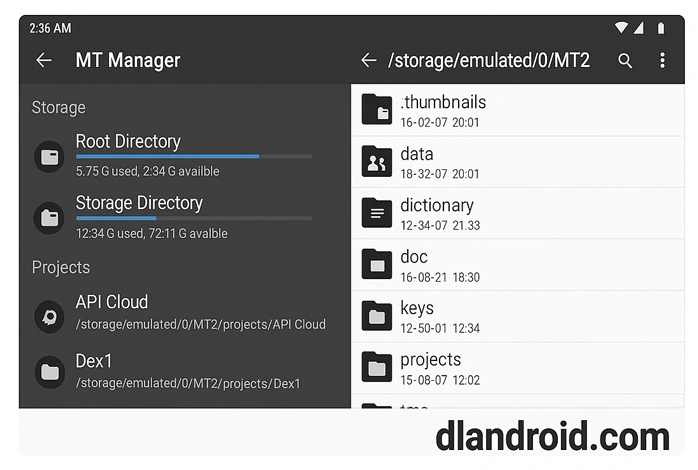
One thing I loved straight away was the split-screen layout. It lets me view two folders at once and drag files from one side to the other in seconds. I also got to poke around at internal files like XML and DEX files with almost no hassle.
Even though MT Manager unlocks extra features for rooted phones (like accessing system folders regular apps can’t touch), I’ve used it comfortably on an unrooted phone and barely felt limited.
The built-in text editor is another gem. I used to avoid editing files on my phone, but the syntax highlighting in MT Manager made it so much easier to read and edit long scripts. Out of curiosity, I even tried the hex editor. It gave me access to the raw data behind apps, not something every file manager offers. Moving files between my device and my cloud storage? That’s become a quick and easy task, too.
Installing MT Manager was a simple process. I grabbed the APK from a reliable source, switched on the unknown sources option in my phone settings, found the file, tapped it, and followed the instructions. A couple of minutes later, everything was ready.
Frequently Asked Questions
Is it free?
Yes! The free version is packed with useful features. If you want even more, there’s an optional premium upgrade.
Do you need root?
Not really. Rooting only comes into play if you want to mess with protected system files. I’ve happily used it without rooting.
Can you edit any app?
Most apps can be modified, though a few include protections to prevent changes.
Is it safe to install?
If you download MT Manager from a trusted site, it works as expected and doesn’t pose a risk.
What’s in the premium version?
Upgrading unlocks extra tools and removes the ads found in the free version.
Why I Keep Coming Back to MT Manager
To be honest, I didn’t expect an app to change how I handle files on my Android, but MT Manager surprised me. Whether I’m sorting folders, tweaking apps, or just exploring how things work behind the scenes, it’s become something I reach for almost every day. If you like having full control of your device, you’ll want to give it a shot.


How do I get the VIP features? Payment via what should I do, because I can not pay through WeChat??
Please add more signature killer
Android 10 not open black screen Mt manager
I update it