Most Android games tell you what to do and how fast to do it. Minecraft is different. You drop into a blocky world, look around, punch a tree, and from that moment the entire place slowly becomes yours. The MOD APK build pushes that feeling even further on mobile, because a lot of small limits disappear. Premium items open up, extra tools are easier to reach, and you can focus on building and exploring instead of grinding for every little thing.
On Android, this modded version still feels like the regular Bedrock Edition. You spawn in the same kind of biomes, meet the same mobs, follow the same day–night cycle and use the same crafting recipes. What changes is how quickly you can move from “I just spawned” to “I have a real base, decent gear and some crazy structure in the sky”. That jump is much shorter with Minecraft MOD APK installed.
Minecraft MOD APK on Android for everyday play
Think of your first minutes in a new world. You gather wood, find a place to spend the night, dig down for stone and iron, and slowly build tools and armor. In the modded build, that early game feels less like a wall and more like a warm-up. Access to stronger gear, more blocks and premium cosmetic content means your world looks interesting much sooner.
The classic sandbox loop is still there:
- Mine blocks, combine them into new items and turn simple materials into useful tools.
- Explore forests, deserts, oceans, caves and mountains, each with its own mobs and resources.
- Discover structures such as villages, temples and strongholds that give you loot and new goals.
- Experiment with redstone, rails and pistons if you enjoy machines, farms and clever traps.
Touchscreen controls make all of this portable. You dig and build with quick taps, move with on-screen buttons and can play in short sessions whenever you have a few spare minutes. The MOD APK sits on top of that base experience and removes parts of the grind that usually slow people down.
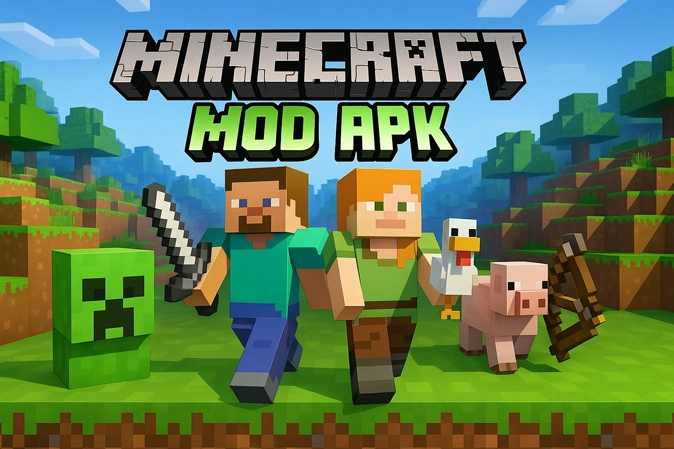
Different ways to play in one installation
Minecraft on Android is not locked to a single style. Some players love survival, others treat it like a big LEGO box. The MOD edition respects that and lets you swap between several modes as you like:
- Survival for people who enjoy risk, health bars and hunger. You still have to watch for creepers, skeletons and lava, but progress is smoother with easier access to better tools and stronger armor.
- Creative when you just want to build, decorate and test ideas. The inventory is stacked, most resources are instantly available and the focus is on design instead of farming.
- Custom maps and adventure worlds if you like story paths, puzzles or parkour runs created by other players. You load a map and step into something that already has a beginning and an end.
Because every mode sits inside the same Minecraft MOD APK, you can treat one world as a serious survival challenge and another as a relaxed building project with no pressure at all.
Unlocked and premium-style features
The word “MOD” covers a lot of territory, but here it basically means “more freedom than the stock app”. The exact bundle you use might vary, yet most Minecraft MOD APK builds share a few ideas:
- Skins and textures that are normally locked behind coins or purchases become usable without extra payments, so you can try out more looks for both your character and your world.
- Many modded packages add huge stacks of blocks, ores and rare materials to your inventory, which is especially handy if you enjoy big builds, redstone machines or detailed decoration.
- Some variants include immortality or almost unbreakable armor, giving you a way to explore dangerous caves and high cliffs without constantly worrying about losing your items.
- Ads and pop-ups are removed, so the entire screen stays focused on the world instead of banners and interruptions.
The idea is not to turn Minecraft into a completely different game. It is still the same sandbox at its core, only with fewer barriers between you and the way you want to play.
Performance, devices, and small tweaks that help
Most phones that run the regular Bedrock Edition can handle Minecraft MOD APK as well. You do not need a flagship device, but a few simple rules keep the game smoother:
- Android 5.0 or newer is a sensible minimum for modern builds.
- Having at least 2 GB of RAM makes big worlds and busy areas much more stable.
- Leave some breathing room on internal storage so the app, your saves and any extra texture packs all have space to work with.
- It also helps to shut down other heavy apps before you press Play, so Minecraft does not have to fight for memory and processing power.
Once you follow tips like these, even a mid-range phone can cope with long sessions, ambitious builds and plenty of mobs on screen without struggling too much.
Sharing a modded world with friends
Many people enjoy wandering through caves alone with headphones on, but Minecraft really comes alive when other players jump into your world. On Android, a modded release still lets you join and host different kinds of multiplayer sessions:
- Local worlds that you host on your phone and share over Wi-Fi, where friends can help you dig, build or run small events.
- Servers that offer mini-games, PvP arenas, parkour, skyblock islands and other custom modes built by the community.
When everyone has access to powerful tools, extra blocks and cool skins, group sessions feel more like a creative workshop and less like a slow climb from wooden tools to iron armor. Players can split roles, with one person focusing on farms, another on city layout and someone else on decoration or landscaping.
Basic installation flow for Minecraft MOD APK
Installing Minecraft MOD APK on Android follows the same pattern as most apps you grab from outside the Play Store. The steps below are a general outline; always read any note that comes with your specific file:
- Remove other conflicting Minecraft builds from your device. Keeping only one main APK avoids signature errors.
- Download the chosen Minecraft MOD APK file onto your phone or tablet.
- In your system settings, allow app installation from the browser or file manager you use for the download.
- Open the APK file, let the system installer run and wait for it to finish.
- Launch the game, create a new world or load an old one and check the menus for unlocked skins, resource packs and mod options.
Once everything is set, you rarely have to repeat these steps unless you switch to a different mod package or update to a fresh build.
Keeping your worlds and setup safe
Modded games always work better when a few common-sense habits are in place. Minecraft is no exception:
- Back up your favorite survival and creative worlds before replacing the APK with another version. A quick copy of the world folder can save weeks of progress.
- Avoid mixing too many unrelated modded builds at the same time. Different signatures and changes can cause crashes or lost data.
- Try new texture packs or behavior packs on a test world first to make sure your device can handle them smoothly.
These small habits take very little time and make it much easier to enjoy the extra freedom that comes with Minecraft MOD APK on Android.
Why so many players keep a modded version installed
The official Minecraft release already offers a massive sandbox with endless replay value. The modded edition does not try to replace that; it simply removes a few locks and shortcuts the parts most people consider tedious. You still mine, craft, explore and build, but you reach the fun parts faster and with a bigger toolbox.
For some players that means stress-free creative sessions where resources never run out. For others it means survival runs where the risk is still there, just balanced by stronger gear and more cosmetic choice. On Android, having this kind of flexibility inside one APK is the main reason a lot of users stick with a modded Minecraft build once they try it.

Leave a Reply