
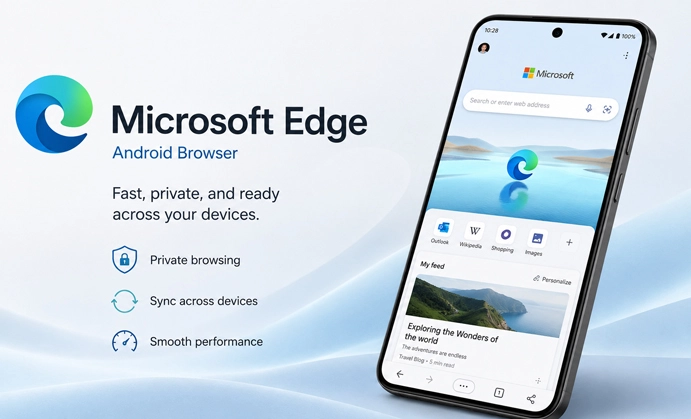
Microsoft Edge APK is the Android version of Microsoft’s browser. It becomes more useful when Edge is also used on a PC. A long support thread left open on the phone can be found later through Recent Tabs on the computer. Favorites and browsing history can follow the same Microsoft account as well.
Normal browsing does not require a sign-in. The account is needed for cross-device sync, and sync is not all or nothing. Someone can carry favorites and open tabs between devices while leaving saved passwords disabled.
Website accounts remain separate from browser sync. A shop, work portal, or subscription service may request another login on the computer. Edge brings the address across; it does not bring permission from the website.
Copilot Is More Useful With a Page in Front of It
With a long PDF open, Copilot can be asked for the section that explains a reset procedure or a particular setting. The document stays in view, so the relevant text does not have to be copied into a separate chat. Web articles and videos can also be summarized, while open tabs may provide context for a comparison.
Depending on the request, Copilot may use the current page, its title, open tabs, and browser history. Edge informs the user or requests permission before browser information is used for the first time, with the exact prompt varying by region.
A generated answer can still miss a footnote or read a condition incorrectly. That matters when the source contains a price, deadline, product specification, or technical instruction. Returning to the original passage is more dependable than acting on the summary alone.
Copilot controls can also differ between accounts, markets, and Android devices. Two phones running Edge may not display the same set of tools.
Mobile Edge Does Not Copy Every Desktop Tool
Read Aloud can turn an article into spoken audio, while page translation and text-size controls help with material that is difficult to read on a phone. These options are available from the mobile menu.
The complete desktop Reading Mode is not currently part of Edge on Android. Read Aloud and translation are available, but users expecting the full desktop reading interface will find a smaller set of controls on the phone.
Tab groups keep pages from the same task together. Research links can remain separate from shopping or work tabs until they are no longer needed. Android Edge also supports extensions, although the mobile selection should be checked separately. An extension available on Windows may not appear in the Android catalog.
InPrivate Is About What Remains on the Phone
After all InPrivate tabs are closed, Edge removes the related browsing history, cookies, and site data. A downloaded file or a favorite deliberately saved during the session can remain. Closing the private tabs does not remove those items.
InPrivate does not hide browsing from an employer, school, or internet provider. It also adds no special protection against a harmful website. Tracking prevention limits some tracking activity, AdBlock Plus deals with unwanted advertising, and Microsoft Defender SmartScreen checks for known phishing or malicious content. These controls have separate jobs and are not replaced by opening an InPrivate tab.



Leave a Reply