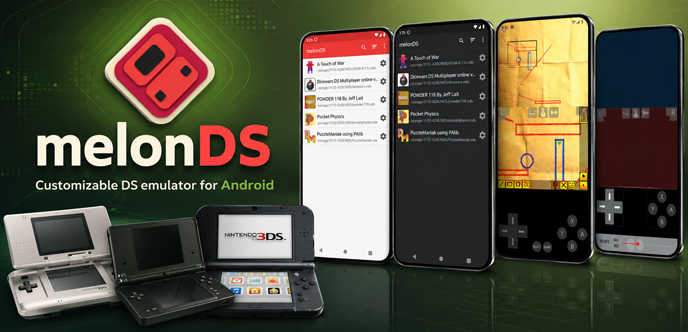
A downloaded Nintendo DS ROM can be opened on Android with melonDS APK. Choose the folder containing the .nds file, and melonDS will add the game to its list. Starting the ROM runs it through Nintendo DS emulation, with the upper and lower screens shown together. DSi software can also be loaded, although some modes need separate BIOS and firmware files. Games and system files are not included in the APK.
Two DS Screens on Android
Screen setup depends on the game. Many RPGs leave a map or inventory on the lower display, so it does not need as much room as the main picture. A touch-based puzzle game may use that same display for nearly every move.
Portrait mode follows the stacked shape of the original handheld. Landscape gives the upper screen and virtual controls more space. melonDS can store a different layout for each game instead of applying one arrangement to every DS ROM.
A physical controller suits games that rely heavily on buttons. Drawing, tapping, and other stylus actions still take place on the phone screen. On compatible dual-screen Android hardware, each DS display can use a separate panel.
Saving a Game in melonDS
Keep using the game’s own save system during a long playthrough. When the app must be closed before the next save point, a save state can hold the current scene.
Rewind covers recent mistakes. It can return to the moment before a missed jump or an unwanted menu choice. Save states and rewind data depend more closely on the emulator, and previous core updates have made older states incompatible. An ordinary game save remains important.
Hardware and DSi Limits
Phone hardware has a clear effect on emulation speed. melonDS performs better on 64-bit devices when JIT and threaded rendering are active. Older 32-bit phones lack JIT support in this Android port and may run games poorly.
DSiWare titles can be opened from the game list when the required system files are present. DSi SD card support is still missing. Wi-Fi connectivity is available, but local multiplayer has not been implemented in the Android port.
![Migrate - custom ROM migration tool [4.0 GPE] Apk Mod](https://dlandroid.com/pic/migrate-custom-rom-migration-tool-apk-200.jpg)
Leave a Reply