MacroDroid Pro Mod Apk: an Android automation app that helps you control your phone’s behavior without needing any programming skills. Instead of opening multiple settings or apps to perform a task, you can create automated routines—called macros—that handle everything for you. Each macro follows a simple structure: a trigger (the event that starts the macro), one or more actions (what the phone should do), and optional constraints (conditions that decide when the macro should or shouldn’t run). The app is known for its intuitive user interface, where everything is visual and easy to follow. You don’t have to write any code or deal with technical terms. Just pick options from drop-down lists, adjust a few parameters, and the automation is ready. It’s a tool built for everyday users who want their phones to be more helpful, less repetitive, and smarter overall.
Explore the Power of Triggers, Actions, and Constraints
The triggers in MacroDroid are varied and powerful. You can start a macro based on things like battery level, time of day, location, device orientation, app usage, or incoming notifications. Once triggered, the macro can take actions such as turning on Wi-Fi, sending a message, launching an app, adjusting volume, or displaying a custom message. You can also stack conditions on top of these actions, like making a macro work only on weekends or only when connected to a specific Wi-Fi network.
Why I Chose the Mod Pro Version Over the Free One
Now let’s talk about the version I use: MacroDroid Pro Mod APK. This is not the free version you find on the Play Store. In that one, you’re limited to just a few macros, and there are pop-up ads and feature restrictions. But the Mod Pro version removes all of that.
It unlocks unlimited macros, so you can build as many as you like without ever worrying about a limit. All premium features—like advanced constraints and special triggers—are fully available from the start. There are no ads to interrupt you, and the interface stays clean. If you’re someone who enjoys customizing your phone or simply wants it to do more for you automatically, this version is far more enjoyable.
How MacroDroid Changed the Way I Use My Phone
I started using MacroDroid out of curiosity, thinking it might help me save some time here and there. But very quickly, it became a core part of how I use my phone. One of my first macros was simple: when my battery dropped below 20% and the time was after 9 PM, the phone would automatically lower the screen brightness, turn off mobile data, and disable background sync. That one change helped me stretch my battery life by a couple of hours each night, without having to think about it.
Later, I added another macro that kicks in when I connect my phone to my car’s Bluetooth. It increases the volume, opens my navigation app, and sends a text to someone close letting them know I’m driving. It even turns on Do Not Disturb, so I’m not distracted by notifications on the road.
Setting It Up Is Easier Than You’d Think
Setting these up doesn’t feel like programming at all. It feels more like setting preferences. You go through menus that explain exactly what each trigger or action does, and there’s always a preview so you know what to expect. The app even includes a gallery of pre-built macros that other users have shared, which helped me get started without having to invent everything from scratch.
No Battery Drain, No Hassle
One of the things I value most is how light the app is. It doesn’t run down the battery, doesn’t interfere with other apps, and stays invisible unless a macro is being executed. It just quietly works in the background, making your phone behave more like a helpful assistant.
It Works for Everyone—Not Just Tech People
I’ve even recommended it to family members who aren’t tech-savvy. My mother now has a macro that lowers the volume and opens her audiobook app when she connects her headphones at night. My brother uses one that turns off Wi-Fi and silences notifications automatically during his morning workout hours. It’s not just about convenience—it’s about creating a device experience that fits your lifestyle instead of the other way around.
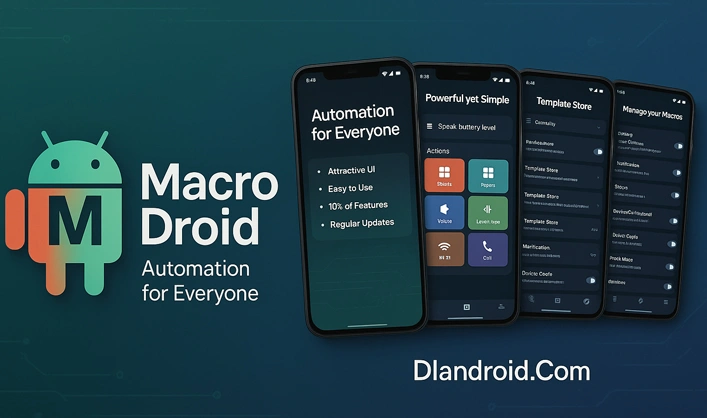
Everyday Routines That Can Be Automated
The more I use MacroDroid, the more I realize how many small daily habits can be automated. Whether it’s muting the phone during meetings, opening specific apps at certain locations, or managing notifications while asleep, there’s usually a way to build a macro that handles it better than I could manually.
A Smarter Phone Without Any Coding
If you’re someone who feels like you’re always doing the same settings over and over again, MacroDroid offers a clean, simple, and powerful way to free up your time and attention. And with the Pro Mod version, you get everything it’s capable of—without spending a cent.

![Battery Saver – Battery Doctor [PRO] 1.9 Apk Ad Free icon](https://dlandroid.com/wp-content/uploads/2017/11/Battery-Saver--Battery-Doctor-PRO]-3.jpg)
macrodroid is awesome.i made an app locker using macrodroid. uninstalled clean master. now, NO ADS, and more space. 🙂