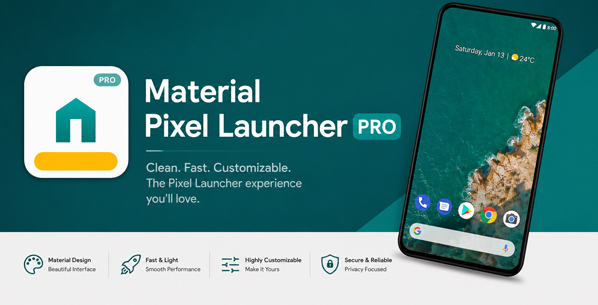
When a home screen has turned into a loose pile of icons, changing the wallpaper does not solve the real problem. Material Pixel Launcher Pro APK replaces that part of Android with ALauncher, a Pixel-style launcher from DWorkS. It controls the home pages, dock, app drawer, search field, and long-press actions on app icons. The lock screen, notification panel, and Android settings keep the phone maker’s original design.
The Pro build is published as a separate paid package under dev.dworks.apps.alauncher.pro, alongside the free Material Pixel Launcher Lock listing. DWorkS does not provide a setting-by-setting comparison between them. The package identity is clear; the exact boundary between free and Pro features is not.
The screen you return to
Once ALauncher is selected as the Home app, pressing Home leads to its layout instead of the launcher supplied with the phone. Nothing happens to the installed apps or their data. You can switch back later, but an arrangement created in ALauncher is not transferred to another launcher.
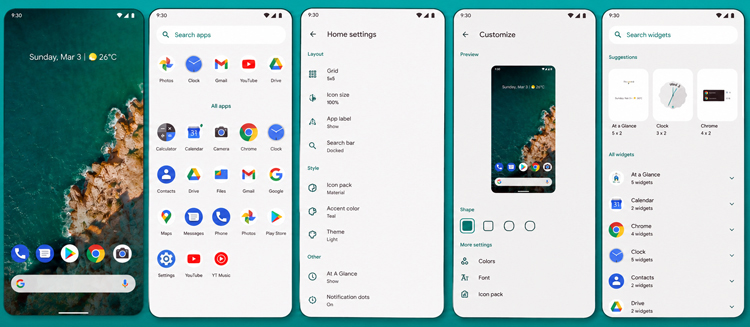
Grid settings decide how much fits on each page. If shortcuts are spread over several screens, adding rows and columns can pull them into one place. Someone who opens most apps through search may prefer the opposite: a few large icons, plenty of space, and a short dock. The dock has its own icon count and background setting, so it does not need to match the page above it.
Rotation is available when the home screen is used sideways. After the icons and widgets are in place, desktop locking stops an accidental drag from moving them. This lock only protects the arrangement from editing; it does not lock the phone or any app.
ALauncher does not have to follow the wallpaper. It can stay light or dark, or take its theme from the wallpaper when that suits the page. This choice stops at the launcher surfaces; it will not recolor Android settings. Icons can be resized or reshaped, and third-party packs can replace their artwork. If a pack does not cover one of the installed apps, its original icon may remain. The layout also follows right-to-left reading direction when an RTL language is selected.
An app’s name is often easier to remember than its position. Open the drawer, type a few letters into the bottom search field, and choose the result. On a carefully arranged home page, the same field and its suggestions can be hidden. The provider behind the bar is selectable in ALauncher settings.
Two swipes and a long press
Swipe down once from Home to open notifications. Use two fingers for Quick Settings. On a tall phone, this avoids reaching for the top edge over and over. The gestures exist while ALauncher is visible; other apps keep their own swipe behavior.
Long-press menus depend on the app beneath the icon. A supported app may expose one of its own direct actions, while ALauncher adds routes to app information or uninstall controls. Some icons will have more choices than others because the launcher cannot create a shortcut that the app and Android do not supply.
Notification dots also rely on Android support and the required notification permission. The dot reports that a related system notification exists. It is not a separate unread counter maintained by the launcher, so clearing that notification may remove the dot even when the app still contains unseen items.
Google Feed is the awkward part
The normal launcher package cannot provide the left-side Google Feed or the full At A Glance connection by itself. DWorkS supplies a separate Companion Bridge because Google limits this type of feed access for third-party launchers. Installing the bridge is optional, and the ordinary home pages, drawer, search, and gestures remain available without it.
Phones that already carry the genuine Pixel Launcher as a system app are a special case. DWorkS warns of a conflict on some Pixel and Nokia phones. The bridge may refuse to install there even though ALauncher itself can still be used.
Hidden Space removes selected apps from the ordinary drawer, but it should not be treated as a private vault. The apps remain installed and can still appear in Android settings or through ALauncher’s hidden area. Their files and signed-in accounts are not encrypted simply because an icon is out of view.
Locking functions may request Device Administrator access. The developer ties this permission to the lock action and describes it as optional. It does not need to be granted when ALauncher is being used only to change the grid, search field, icons, or theme.


Leave a Reply