Launcher 10 Mod Apk: a customized Android launcher that transforms your smartphone’s user interface to resemble the classic Windows Phone UI, complete with customizable tiles and smooth navigation. It caters to users who miss the simplicity and aesthetic of the Windows Phone experience or those who want to try something refreshingly different from traditional Android launchers. This article provides a detailed exploration of Launcher 10 Mod APK, its features, benefits, and installation process.
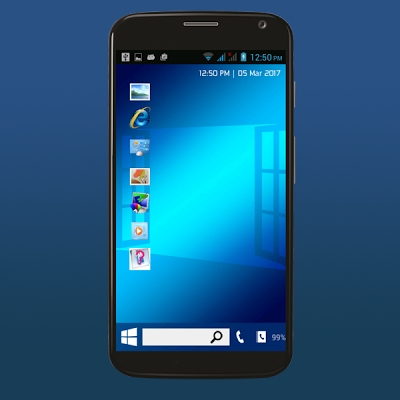
What is Launcher 10 Mod APK?
Launcher 10 Mod APK is a modified version of the Launcher 10 application, designed for Android devices. The modded version unlocks premium features that are usually available through in-app purchases, giving users unrestricted access to all functionalities.
This launcher aims to replicate the Metro-style design of Windows Phone, offering a blend of nostalgia and practicality. It comes packed with advanced customization options, a unique tile-based layout, and a seamless user experience.
Key Features
Customizable Tiles
Launcher 10 allows users to personalize their home screens with live tiles that display real-time information, such as weather updates, calendar events, or social media notifications. Tiles can be resized and rearranged to suit your preferences.
Smooth Performance
The launcher is optimized to provide a fluid and lag-free experience. Its lightweight design ensures minimal impact on system resources, making it an excellent choice for older or low-spec devices.
No Ads (Mod Version)
One of the standout features of the modded APK is the removal of intrusive ads, ensuring a clean and distraction-free experience.
Premium Features Unlocked
The modded version unlocks all premium features, such as advanced tile customization, additional themes, and access to exclusive widgets.
Built-in Widgets
Launcher 10 Mod APK includes built-in widgets for weather, clock, and other essential tools, integrated seamlessly into the tile-based design.
Gesture Support
Navigate your device effortlessly with customizable gestures for actions like opening apps, accessing settings, or searching.
Backup and Restore
Save your personalized layouts and settings to restore them easily after device resets or reinstallations.
Benefits of Using Launcher 10 Mod APK
Aesthetic Appeal
The Metro-style layout is both functional and visually appealing, offering a refreshing alternative to conventional Android launchers.
Enhanced Productivity
Live tiles provide instant access to essential information without opening apps, streamlining your workflow.
Cost Savings
The modded APK unlocks premium features for free, eliminating the need for in-app purchases.
Compatibility
Launcher 10 is compatible with a wide range of Android devices, ensuring accessibility for most users.
How to Download and Install
Enable Unknown Sources
Before installing a third-party APK, enable the “Unknown Sources” option in your device settings:
- Go to Settings > Security.
- Toggle on Unknown Sources.
Download the APK File
Download the Launcher 10 Mod APK file from a trusted source. Be cautious of malicious websites and only use reputable platforms.
Install the APK
- Locate the downloaded APK file in your device’s file manager.
- Tap on the file to begin installation.
- Follow the on-screen prompts to complete the process.
Set as Default Launcher
- Open Launcher 10 and follow the initial setup instructions.
- Set it as your default launcher when prompted.
Tips for Optimizing Your Experience
Regular Updates
Keep your modded APK updated to enjoy the latest features and security patches.

Experiment with Layouts
Take advantage of the customization options to create a home screen layout that suits your style and needs.
Use Backup Options
Regularly back up your settings and layouts to avoid losing your personalized configurations.
Potential Risks of Using Mod APKs
Security Concerns
Modded APKs are not officially verified, which may expose your device to malware or unauthorized access. Ensure you download from a trusted source.
Legal Implications
Using modified apps may violate the app developer’s terms of service, so proceed with caution.


The link is dead, sir
fixed