IP Webcam Pro can give an unused Android phone a second job instead of leaving it in a drawer. It works as an Android IP camera app, but the real value comes from how many small monitoring tasks it can handle without needing a dedicated webcam or security camera. For home use, it can watch a room, a pet, a baby’s crib, a front door area, or a small office corner with the hardware you already own.
A Practical Android Camera Server
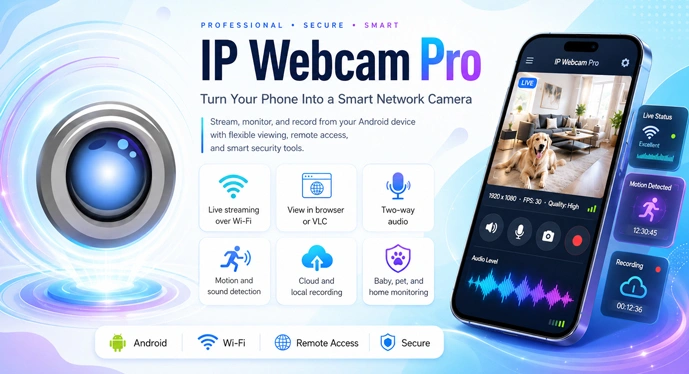
IP Webcam Pro is closer to a small camera server than a normal recording app. After setup, the phone can send a live video stream that can be viewed from a browser, VLC Player, or supported third-party monitoring software. That matters because many webcam apps only work well inside their own viewer. Here, the stream feels more open, which makes it easier to use from a laptop, desktop computer, tablet, or another Android device.
The app is especially useful for people who like having control over the setup. Resolution, recording format, audio, overlays, upload behavior, and connection options can be adjusted based on the phone, network, and purpose. A newer phone can be used for better video quality, while an older Android device can still work well for simple monitoring.
Local WiFi Streaming for Private Monitoring
One of the better reasons to use IP Webcam Pro is local WiFi streaming. The camera feed can run inside the same network, so basic home or office monitoring does not have to depend on a cloud account all the time. That makes the app appealing for users who care about privacy or only need to watch the camera from nearby devices.
Cloud access is still available through supported services, but the app does not force every user into that route. For many situations, local viewing through a browser or VLC is enough. This gives IP Webcam Pro a more flexible feel than apps built mainly around online accounts and remote dashboards.
Smarter Use for Long Monitoring Sessions
A phone used as a camera often stays in one place for hours, so small details become important. Date and time overlays, battery information, audio streaming, and recording options can make the setup easier to trust during longer use. These are not flashy features, but they help when the phone is being used as a baby monitor, pet camera, room camera, or temporary security camera.
The detection tools also make sense in real use. Instead of watching a silent room nonstop, the app can react when movement or sound is noticed. That is useful for checking a pet while working, keeping an eye on a doorway, or noticing activity in a room without recording every quiet minute.
Automation Options for Serious Setups
The Pro version is mainly for users who already know they want more than basic streaming. Tasker support is handy when the camera needs to follow a routine, such as starting at certain times, reacting to a device state, or fitting into a wider Android automation setup. The adjustable interface is another practical touch, especially for users who keep returning to the same controls and do not want to dig through menus every time.
IP Webcam Pro is not the most modern-looking Android app, and beginners may need a few minutes to understand the settings. Still, that is part of its character. It gives practical control instead of hiding everything behind a single button. For users who enjoy technical tools, that is a fair trade.
A Good Fit for Old Android Phones
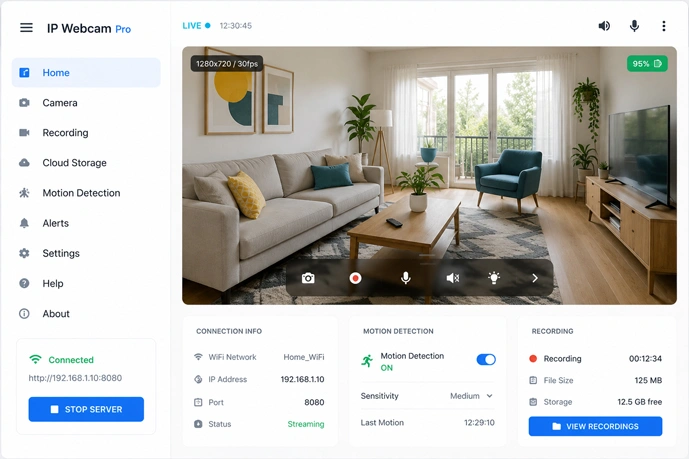
IP Webcam Pro is a strong option for anyone who wants an Android webcam app, IP camera app, baby monitor, pet camera, security camera, or local video stream source. It works best when the user is willing to adjust the settings and test the stream on the same WiFi network first. With the right placement, charger, and connection, even an older Android phone can become a useful monitoring camera again.



Leave a Reply