
Editing raw data on a mobile device used to be tricky, but HEX Editor makes it surprisingly manageable. This app is made for anyone who needs a closer look at binary content, whether you’re debugging, customizing apps, or reviewing complex data structures.
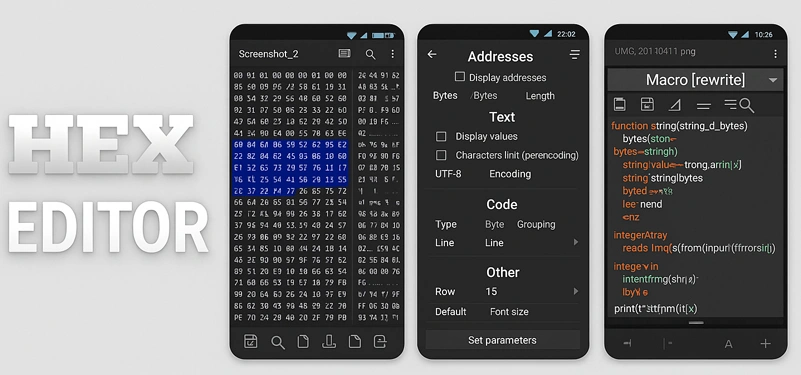
Main Highlights:
- Work Across Several Files: There’s no need to close a file to access another. Move smoothly between open files while keeping everything well-organized.
- Built-In Terminal Feature: Use the internal terminal to run basic commands directly, avoiding the need to switch to other tools.
- Time-Saving Macros: Automate the steps you repeat often. Once a macro is set up, you can apply it with a tap.
- Choose Your Preferred View: Display data in hex, decimal, or octal. You can also change the address column length to make things easier to follow.
- Encoding Flexibility: You can work with various encodings such as UTF-8, UTF-16, and ASCII, which helps when editing multilingual data or different file types.
- Flexible Import and Export: Bring in binary files from outside sources and export your work in the format that best fits your needs — whether that’s plain text or binary.
- Add Comments Within Files: Jot down simple notes or markers inside different parts of your file to remind yourself why something’s there — or to help someone else understand it.
- Pattern Recognition: Catch repeating sections or layouts in the file — super handy when dealing with weird formats or figuring out how a file is built.
- Side-by-Side File Comparison: Lay two binary files next to each other, highlight every difference, and combine their contents with ease when needed.
- Structured Format Templates: If you’re working with files that follow a defined layout, you can use templates to interpret and change the structure faster and more reliably.
- Precise Byte Navigation: Jump straight to the exact spot in the file you want — ideal for detailed adjustments without having to scroll endlessly.
- Edit Memory and Storage Data: Make direct changes to memory addresses or disk-level data — great for solving system-level issues, troubleshooting, or tech analysis.
- Revision History: Keep track of your changes, revisit earlier file versions, and roll back if anything goes wrong.
- In-Depth Data Analysis Tools: You can examine entropy levels, review frequency data, and explore structures in a visual format to better understand what’s inside.
- Take It Anywhere (Portable Mode): You don’t need to install anything — just plug it in from a flash drive and start using it right away.
- Cross-Platform Ready: In addition to Android, HEX Editor works on Windows, Linux, and macOS, giving you freedom across different systems.



Leave a Reply