Griyo Pos POS and Cashflow Mod Apk gives an Android phone the basic tools a real shop needs: a simple cashier screen, quick stock updates and a clear view of money coming in and out. Instead of jumping between notebooks, calculator apps and chat messages, the premium mod lets you keep sales, inventory and cashflow inside one place with most restrictions removed. You install the Griyo Pos premium mod apk, add your products once, and the device on the counter starts acting like a small but serious POS system that still works when the internet is down.
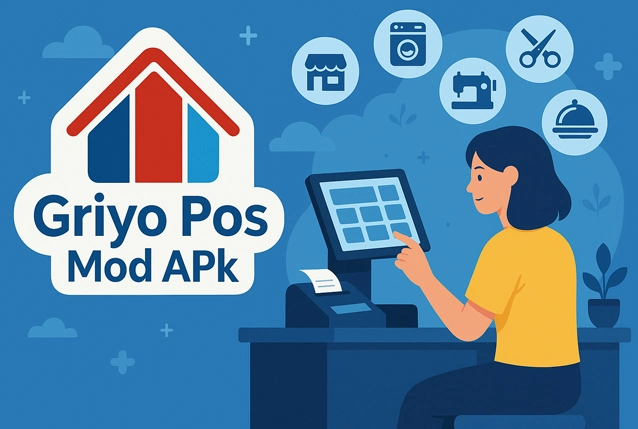
Griyo Pos in everyday shop work
In a small grocery, café, barbershop or clothing stall, work moves fast and customers do not want to wait while the cashier fights with a slow app. Griyo Pos was made for that kind of environment. You open the app in the morning, pick the items a customer wants, adjust quantities, apply a quick discount if needed and confirm the payment. Cash, transfer, e-wallet or mixed payments can all be saved, and if someone pays only part of the bill you can keep the rest as debt and settle it on the next visit.
Orders that are still in progress can be marked as waiting or processing, while finished jobs move to the completed list. This looks simple but helps a lot in places that handle custom orders, delivery food, laundry, repairs or pre-orders. Staff can glance at the screen and see which customers are still waiting without digging through paper tickets.
Sales, stock and cash in one place
The real strength of Griyo Pos POS and Cashflow Mod Apk is that it ties together three things small businesses usually track separately: sales, stock and money.
Products and even raw materials can be stored with buying price, selling price and starting quantity. Each sale quietly reduces the correct stock level, so you notice early when a fast-moving item is about to run out. Incoming goods from suppliers, rent, packaging, fuel and other daily costs can be added as expenses. At closing time you are not just counting how much cash is in the drawer; you see income and spending side by side, which gives a more honest picture of profit.
The app can show simple reports for the current day, week or month, including total sales, basic profit estimates and which items sold the most. Cash movements such as deposits to the bank or payouts to suppliers are recorded in a cashflow log. Over a few weeks this builds a clear story of how money moves through the shop, without needing complex accounting software.
What the premium mod adds
The original release of Griyo Pos offers a free version and a paid tier for users who want more comfort. The Griyo Pos Mod Apk is based on that paid experience and unlocks premium features from the start. In practice this usually means:
- no advertising banners or random pop-ups while the cashier is working
- access to options and settings that are limited in the free build
- a calmer interface that lets staff move between screens without extra steps
Because the layout stays close to the official app, people who used the free edition will not feel lost. The Griyo Pos premium apk simply feels like the same tool with the handbrake released: fewer interruptions, fewer limits and a smoother flow when the shop is busy.
Getting started without stress
Setting up Griyo Pos POS and Cashflow Mod Apk does not require a long training session. Most small shops can do the basics in one quiet afternoon:
- Enter the shop name, address and currency so receipts look professional.
- Add the main products and services with prices and starting stock levels.
- If you sell food or bundles, register the ingredients or components so stock updates stay realistic.
- Create separate user accounts for owner, supervisor and cashiers, with different access rights.
- Turn on regular backups of the database before updating, changing phone or resetting the device.
After that, the routine is simple: open the app when the first customer walks in, record every sale and expense as it happens, and check the summary before you close the door at night. Over time, the numbers in Griyo Pos POS and Cashflow start to reflect the real heartbeat of the business. For small shop owners who want a practical Android POS with a premium, unlocked experience instead of a heavy cloud system, this modded build of Griyo Pos is a straightforward option that fits easily into daily work.



Leave a Reply