
Gallery Elite is an Android photo gallery for people who organize pictures by folder. Open a folder and you can see the grid, the directory it belongs to and the actions you need for the current selection. Its tabs and customizable toolbars are designed to keep the controls you use most within thumb’s reach.
Folders and the Explorer view
Use All Media to look for a picture you remember taking without checking directories one by one. When you already know where it lives, switch to Explorer. The directory trail shows the path to the open folder, so you can tell at a glance whether you are looking at a camera photo, a copy you made for a project or an image saved by another app.
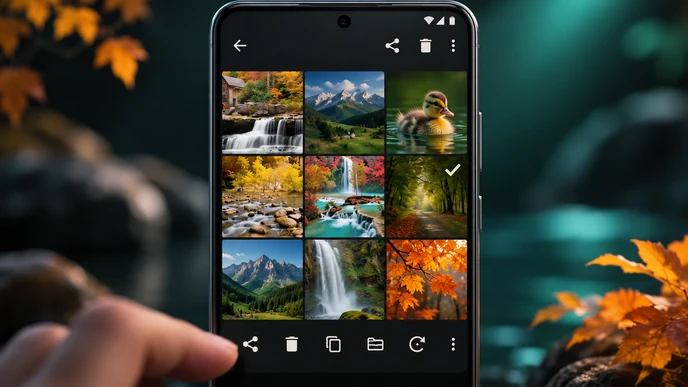
For a set of vacation shots, open the trip folder and mark the handful you want to copy. Checkmarks stay visible on the thumbnail grid while you make the selection, which helps when several pictures show nearly the same scene. Before deleting a batch, take a moment to scan the marked images. A burst can contain one good shot between otherwise identical frames.
Customize the action bars
Gallery Elite has action bars at the top and bottom of the screen. Customize the layout around the task you do most often. If you spend most of your time picking photos to share, put the share action where your thumb naturally lands. If you use the gallery to clean up screenshots, keep deletion accessible while you work through a folder.
The full photo view gives you a closer look, with a customizable information panel for details such as the file name, its location and its dimensions. Say two thumbnails look alike, but one is an edited copy you need to send. Open each and compare the file location and dimensions. The directory can tell you which copy came from your editing app, and the pixel dimensions tell you which one has enough room for a crop.


Leave a Reply