Folder Widget Mod Apk is the version of Folder Widget – Large Folders where the Pro features are already switched on, so you build oversized folders on your Android home screen without hitting a paywall halfway through setup. The app comes from automan, and the idea behind it is refreshingly simple. Instead of a tiny folder icon hiding twenty apps, you drop a big folder or a big icon right on the screen and reach everything in one tap. You can even open an app straight from the folder by tapping its lower right corner; no need to expand anything first.
Circle, 3+4, and MxN Grids Beat One Boring Square
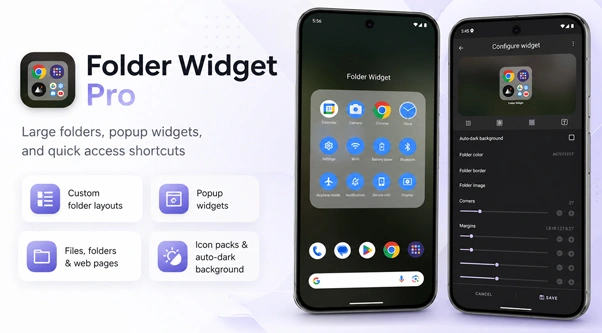
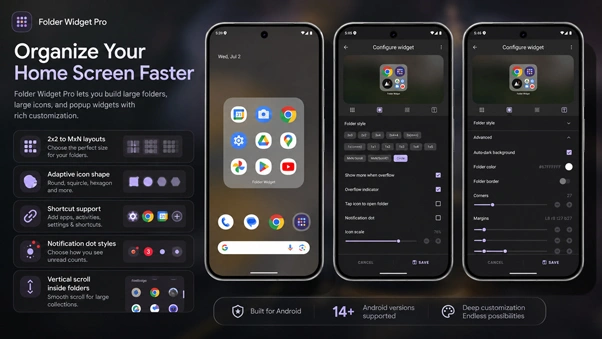
This is where most folder apps stop, and this one keeps going. You get a genuine spread of shapes. 2×2, 3×3, 4×4, the odd 3+4, a slim 1×5, plus Circle and a fully custom MxN if you want to get weird with it. There’s a scrollable MxN too, for when a folder holds way more than fits on screen. Pick the grid, set the background color, round the corners, nudge the margins until it sits right next to your other widgets. Honestly, the Circle layout is the one people show off, because it looks nothing like the stock launcher folder everyone’s seen a thousand times.
Popup Widgets Live Inside the Folder
A folder here isn’t only for apps. You can tuck a pop-up widget inside one, so a weather or music widget hides away and jumps out when you tap. And the shortcut list runs deeper than you’d expect. System settings, in-app shortcuts, a file or folder path that opens instantly, even a saved web page that launches straight to the URL as its own little tile.
One-Tap Lock Screen and Screenshot, No Root
The accessibility shortcuts are the sneaky part. Quick Home, Back, Recent, the power menu, a one-key lock screen, and take-a-screenshot all sit in a folder like regular icons. On Android P and up, they work without touching root at all. I keep lock screen and screenshots in a corner folder now and barely reach for the physical buttons anymore.
Icon Packs and Masks Actually Change the Look
You’re not stuck with default icons either. The app reads your installed icon packs and can throw a mask over the mismatched ones so everything finally lines up. Adaptive shapes, auto-dark folder backgrounds when night hits, a shadow option on the folder name for busy wallpapers. You can hide the folder name completely too, which is what I do for a cleaner grid. Newer builds even let you save a layout as a template and pull down ones other people shared online, so you’re not rebuilding from scratch every time.
What the Pro Unlock Opens Up
The plain app tucks most of the good customization behind Pro and shows ads while you poke around. This version flips those Pro features on from the start, so all the themes, colors, font sizing, and the fancier layouts are just there. No upgrade button is popping up mid-setup. If you tried the free one and felt boxed in, this is the one that pulls the wall down.
Getting It Onto Your Home Screen
Grab the file from the download button above and let it finish. First time sideloading something, your phone asks you to allow installs from this source, so flip that toggle and tap install. It runs on Android 5.0 and up, though a couple of extras like the one-key lock screen only wake up on Android P and later. Once it’s on, long-press an empty spot on your home screen, open the widgets panel, and drag a Folder Widget tile wherever you want it. Pick a grid, load in your apps and shortcuts, and style it. Two minutes, tops, and you can keep tweaking the layout later whenever the mood strikes.



Leave a Reply