
An Android Torrent Client That Is Both Clean and Fast—Flud (Ad-Free) Mod Apk
Flud Mod Apk is a lightweight BitTorrent client for Android devices that packs a powerful punch. Download without interruption from advertisements or pop-ups with the ad-free Mod Apk version. Even with bigger files, it operates well, and you can handle many torrents without the software choking.
Torrenting on a phone isn’t always pleasant. Some apps slow to a crawl when you throw a big file at them, and others barely let you change any settings. Flud feels different — you pick the torrent, decide exactly what to download, and set the speed limits yourself if you want. It’s quick to set up: tap a magnet link or open a torrent file, choose the folder, and it starts moving.
Flud (Ad-Free) Mod Apk Features That Make Downloading Easier
- No Speed Caps – Use the full bandwidth your connection allows.
- Download Only What You Need – Skip files you don’t care about inside a torrent.
- Set Priorities – Make certain files finish before the rest.
- RSS Support – Add a feed so new torrents land in your queue automatically.
- Handles Big Jobs – Works fine with multi-gigabyte torrents.
- Magnet Link Ready – Open links straight from your browser.
- Security Tools – Supports IP filtering, encryption, and proxies.
- Wi-Fi Mode – Block downloads on mobile data if you want to save your plan.
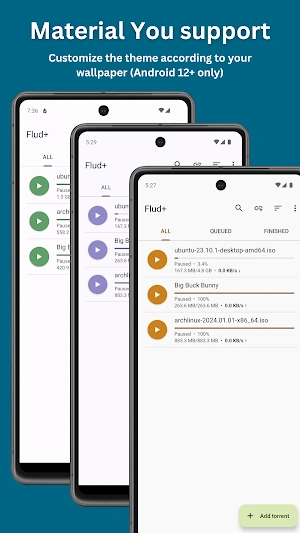
- Light/Dark Mode – Switch depending on what’s easier on your eyes.
Free vs. Ad-Free
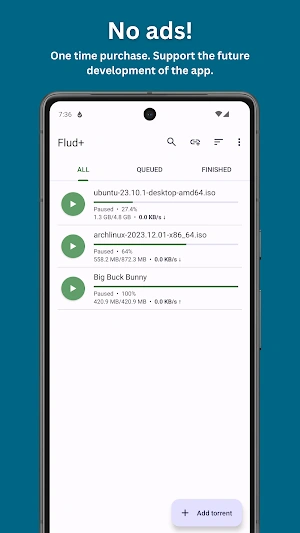
The free edition works just fine, but it shows ads at the bottom of the screen. The Ad-Free or Mod version strips those out, giving you a cleaner space to work with. Speed and features are otherwise identical.
A Note for KitKat Users
Android KitKat made it harder for apps to write directly to external SD cards. Flud works around this by saving to:
Android/data/com.delphicoder.flud/
It’s not as open as older Android versions, but it still lets you store downloads outside your phone’s main memory.
How to Install
- Download the Flud (Ad-Free) Mod Apk.
- In your phone’s settings, allow installs from unknown sources.
- Open the file and install.
- Launch the app and start your first download.
Quick Questions
Is it safe?
Yes, the app itself is safe — but stick to legal torrents and trusted sites.
Does the Mod version add new features?
No, it just removes ads.
Can I use mobile data?
Sure, or you can limit it to Wi-Fi only.



Leave a Reply