Edge Gestures Mod Apk: is a handy Android tool that turns the edge of your screen into a control strip. Instead of stretching your thumb to reach the navigation bar or pulling down the status bar all the time, you slide a finger along the side of the display and the phone reacts. It fits users who like one-hand control, jump between apps a lot or simply want the interface to feel quicker and more personal.
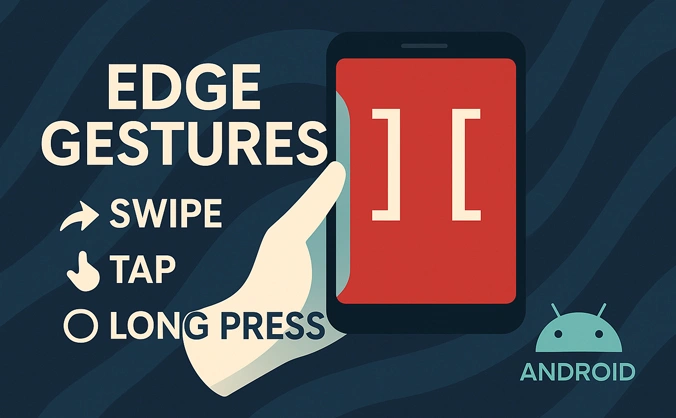
Core idea and main features
The logic behind the app is simple: movements near the edge become shortcuts. You pick what each gesture means, and Edge Gestures sends the matching command to Android. After a short setup, going back, opening recent apps or launching a favorite tool no longer needs several taps.
The app can read many different gesture styles. Light taps, firm long presses, short horizontal swipes, vertical moves and diagonal drags can all be mapped to different actions. One user might keep Back on a tiny swipe from the left side and Home on a longer swipe, while another user uses that same area to take screenshots, control music or open a messenger. Edge Gestures does not force a single layout; it behaves more like a toolbox that you shape to your habits.
Gesture types and everyday examples
Edge Gestures Mod Apk can trigger most actions that normally need hardware keys or the standard navigation bar. Some popular uses are:
- Back, Home and Recent Apps as full replacements for the navigation keys.
- Pulling down notifications without reaching the top of the screen.
- Opening quick toggles for Wi-Fi, mobile data, Bluetooth or flashlight.
- Showing the power dialog when you want to restart or switch off the phone.
- Sliding along the edge to change brightness or media volume.
- Fast scrolling in long lists and feeds on supported Android versions.
- Jumping straight to the previous app while working between two tasks.
- Turning split screen mode on for real multitasking.
In practice, this removes small bits of friction. You can browse the web with one hand and still go back with a tiny swipe. While watching a video, you adjust the sound from the edge instead of hunting for volume keys. When chatting and reading something in the browser at the same time, switching between both is almost instant.
Customizing the edge area
Edge Gestures Apk does not lock you into a fixed bar. The active strip along the border can be resized and moved until it matches the way you hold the device. Inside the settings you are able to:
- Decide which side or sides of the display handle gestures.
- Set a narrow or wide strip, depending on how precise you want it to be.
- Slide the active zone up or down so it avoids certain in-app buttons.
- Change sensitivity if you often trigger gestures by mistake while gaming or scrolling.
Because the edge can be reshaped like this, both left-handed and right-handed users can create a comfortable layout. On tall phones you place the main gestures exactly where your thumb lands, while the very top and bottom of the screen stay free for normal taps.
Accessibility service and permissions
To run system actions, Edge Gestures uses the Android accessibility service. That permission lets the app see which

![[Discontinued] Navigation GesturesSwipe Controls Apk Mod](https://dlandroid.com/pic/navigation-gestures-apk-200.jpg)
hoina ka