
Blokada Mod APK: gives Android users more control over the ads, trackers, and unwanted connections that appear during everyday phone use. Its filtering is not limited to a single browser. It can also cover supported apps and games, which makes it useful when pop-ups, promotional banners, or background tracking requests keep getting in the way. The app handles much of this work through DNS-based filtering. When an app tries to contact a domain found on an active blocklist, Blokada can stop the request before the unwanted content loads. This approach keeps the experience simple: protection runs in the background, while the user decides which filters should remain active.
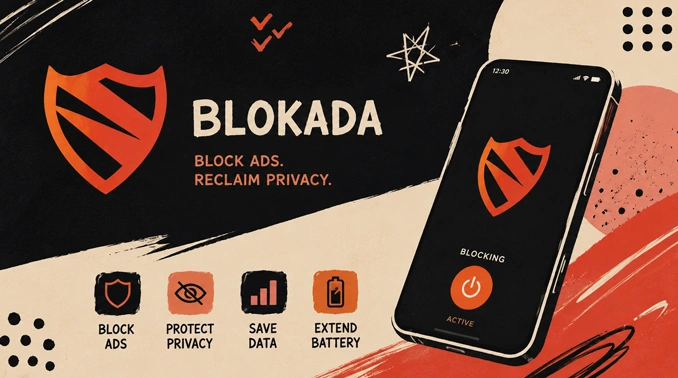
Blocking That Extends Across Android
A browser extension can remove ads from websites, but it usually has no effect on other parts of the phone. Blokada takes a broader approach. Its filters apply to network requests coming from browsers, apps, and mobile games, so users do not need a separate blocking tool for each one.
Stopping unnecessary requests may also reduce the amount of unwanted data transferred in the background. Pages can feel less cluttered, and apps are less likely to spend resources loading promotional elements that the user never wanted to see. Results still depend on the chosen filter lists and the way each app delivers its content.
Blokada can also block connections to domains associated with tracking, phishing, or other harmful activity when those addresses are included in the enabled lists. It does not replace careful browsing or Android security features, but it adds another useful layer between installed apps and known unwanted domains.
Filter Lists with Room for Personal Choices
Strict filtering is not always the best setting for every phone. Some websites rely on particular connections to display videos, sign-in forms, comments, or payment tools. Blokada does not lock every phone into the same rules. The blocklist and allowlist remain in the user’s hands.
Available lists do different jobs. One may target ad servers, another analytics calls, and another common trackers. Turning on every list immediately can be overkill; a login box, video, or comment area might stop responding because it needs a blocked domain. Begin with the lists that address the problem you can actually see. Another filter can be added later when unwanted requests continue to slip through.
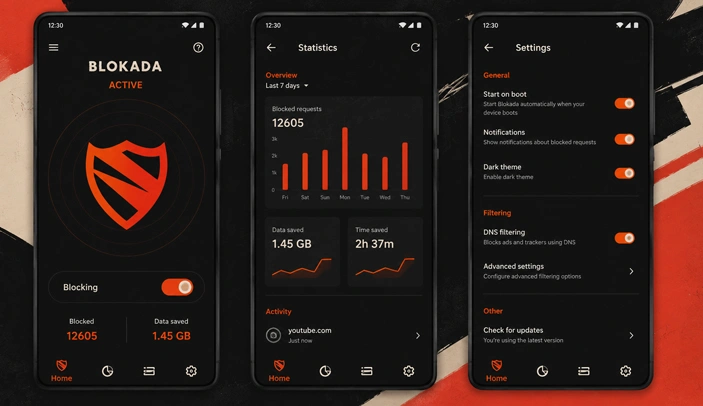
The activity section shows recent requests and indicates which ones were blocked. This makes it easier to find the cause when an app suddenly stops loading part of its content. A required domain can be allowed, while persistent advertising or tracking addresses can remain filtered.
Encrypted DNS and Everyday Privacy
Blokada includes encrypted DNS support for users who want their domain lookups handled with more privacy. Instead of leaving DNS requests exposed in their usual form, a compatible encrypted service protects them while they are being resolved. The app provides a central place to choose the preferred DNS option and manage the filtering rules connected to it.
Its open-source background is another important part of the project. The underlying development can be examined publicly, and filter choices are not hidden behind an unexplained blocking process. For users who like to understand what their phone is contacting, the combination of an activity log, adjustable lists, and allow rules is more valuable than a simple master switch.
Blokada works best when its settings are matched to the way the device is used. A light filter setup may be enough for regular browsing, while users with many apps can refine the lists after checking the connection log. The Blokada Mod APK package keeps these privacy and content-control tools together in one Android application without requiring separate blockers for individual browsers or apps.


VPN tunnel isn’t working.. Account not active.