Custom Navigation Bar Mod APK Pro is an Android utility by paphonb that changes the existing on-screen Back, Home, and Recents bar on older phones. It can pull the standard controls closer to one hand or keep a frequently used shortcut at the bottom of the display. Changes are applied to Android’s system navbar; the app does not place a floating replacement over other content.
Because it edits the system bar, compatibility depends on the phone’s SystemUI. A persistent software button bar is required. During the first-run check, the app tries to place a Next button in the navbar; if it never appears, the system is not accepting the change, even when the Android release seems suitable.

Useful shortcuts compete for limited space
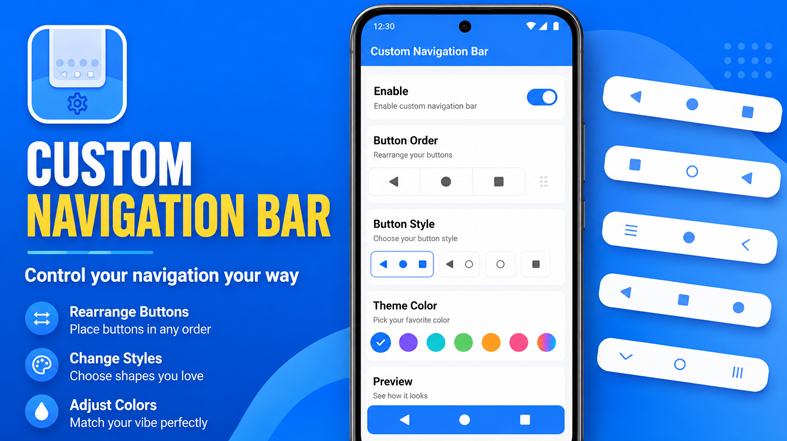
Layouts can group the controls toward either side, keep them in the center, or tighten the spacing. Back and Recents can trade places too. On a wide screen, these changes reduce unnecessary thumb travel; swapping the order also helps someone accustomed to the opposite arrangement avoid repeated wrong taps.
Extra buttons are more practical when they solve a specific interruption. A keyboard-switch key stays visible during bilingual typing, while a notification button avoids reaching to the top of a tall display. The media-volume panel is another option when a stand or case makes the physical keys awkward to press. Clipboard access, an app shortcut, a keycode, a profile switch, and Tasker events are available as other assignments. Every addition shares the same strip with Home, Back, and Recents, so too many shortcuts can leave the bar cramped.
A button may respond to a single tap, double tap, or long press, although double tap is not compatible with every button type. The editor refuses to save a custom layout without Home. Visual themes have their own trade-off: themed system buttons lose long-press behavior and cannot be used with Android screen pinning.
Profiles change the bar without rebuilding it
Profiles save separate arrangements. One can stay compact for reading; another can move the controls toward the active hand and retain an app shortcut. Selected profiles may appear in Android’s app shortcuts when manual switching needs to be quick.
Tasker can enable or disable a profile when one of its own conditions is met, such as opening a chosen app or connecting to a Bluetooth device. The automation comes from Tasker rather than Custom Navigation Bar, so people who do not use Tasker can still switch profiles manually.
The supplied download is labeled as a Pro mod. In the original app, Pro covers custom layouts, visual themes, double-tap assignments, Tasker events, and profiles beyond the free two-profile limit. Those are the documented tier differences; the label alone does not verify any further modification.
Permission does not guarantee compatibility
Navbar changes require WRITE_SECURE_SETTINGS, which does not appear as a normal Android permission with an Allow button. A rooted device can grant it through superuser access. Without root, a computer running Android Debug Bridge (ADB) must provide the permission. Root is optional, but installing the APK by itself is not enough. The settings include a reset to the system default, while replacement of the original Back, Home, and Recents keys remains experimental.
The documented Android range begins with Nougat, while Android 10 is explicitly unsupported. A newer system number should not be treated as proof of compatibility. EMUI and LG UX are documented incompatibilities, and custom ROMs that replace the standard navbar with a Smartbar implementation are also excluded. Samsung support is partial: extra right-side buttons and themes may be unavailable, and some custom-layout options carry a crash warning. For this app, the built-in compatibility test is more informative than the phone model alone.



Thanks!
upgrade to lastest version 0.8.10c
done