
Crop Image – Photo Editor App by Arum Communications puts four options on its opening screen. Gallery opens a saved photo, Batch is for cropping several images, Camera starts with a new shot, and Edit opens the photo tools. The DLAndroid APK is labeled Pro. This is an editor for taking a photo from framing to a filter or a caption in the same app.
Pick the frame before editing the photo
- Free and Fit Image
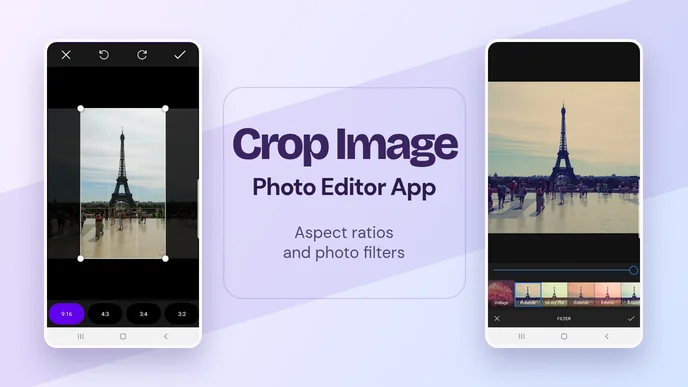
- The crop screen includes both controls alongside the fixed ratios. Free lets you choose the shape of the crop yourself.
- Square, wide or tall
- Try 1:1 for a square thumbnail, 9:16 for a vertical Story or 16:9 for a wide slide. The crop preview lets you see what fits in each frame before you confirm it.
The official crop screenshot shows a rectangle over the photo and the ratio options below it. The crop changes what stays inside the frame. The Filter and Adjust tools change the appearance of what stays, which is useful when a photo is already framed and only needs a color or tone change.
The editor also groups tools for adding something to a photo. Text and Text Design cover captions or graphics, while stickers, overlays and frames give separate ways to add detail. There is a brush for drawing manually and a Focus tool for changing emphasis. These controls give the editor a second use alongside batch cropping. The app can add detail to one image after its frame is set.


Leave a Reply