Blue Mail Mod Apk: pulls Gmail, Outlook, Yahoo, iCloud, Office 365 and any IMAP/POP3/Exchange account into one clean inbox. It’s light, fast, ad-free, and built around small time-savers like smart notifications, snooze, swipe actions, rich-text signatures, and an integrated calendar.
Blue Mail at a glance
– Unified Inbox for unlimited mailboxes
– IMAP, POP3, SMTP and Exchange/ActiveSync support
– Instant push mail where providers allow it
– Smooth UI with quick search and dark theme
– Home-screen widgets and color-coded accounts
Everyday highlights
– People Toggle: a people-first inbox; tap an avatar to see every thread with that contact
– Email Clusters: newsletters and service mail get grouped so the main inbox stays tidy
– Group Mail: create a team or family group and message everyone at once
– Smart Notifications: quiet hours, vibration, LED, and per-account rules
– Unified Folders: Inbox, Sent, Drafts and Archive from all accounts in one place
– Snooze & Reminders: postpone a message and get a gentle nudge later
– Swipe & Customize: assign your own left/right swipe actions and reorder the toolbar
– Rich-Text Signatures: styles, links, and a logo for a professional finish
– Wear OS support: read, archive or reply from your watch
– Spam Controls: block a sender, a domain or a full domain suffix
Privacy and security
Blue Mail connects straight to your provider using TLS/SSL with modern ciphers—there’s no proxy in the middle. Local data is encrypted and standard mail protocols keep traffic protected end-to-end between your device and your provider.
Calendar inside the app
Open the built-in Calendar to view, add or edit events without switching apps. Meeting invites land in your inbox and appear on your agenda right away.
Noise control for a calmer inbox
Receipts, shipping updates and newsletters are organized automatically. You have full control and can switch clustering off if you prefer a classic list.
One app for all inboxes
One search across everything, consistent notifications with per-account rules, the same gestures everywhere, and less battery/attention cost than juggling multiple apps.
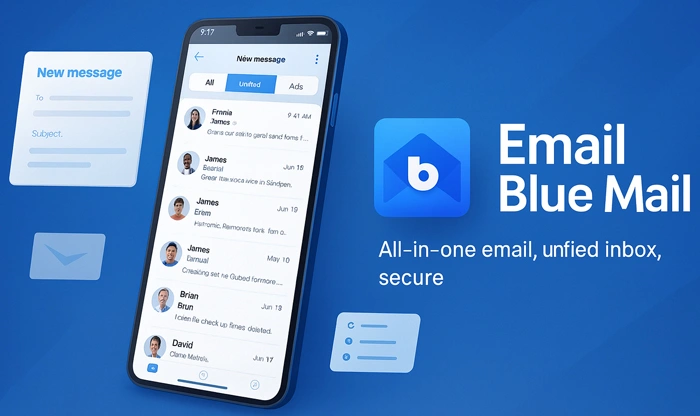
Setup on Android (APK install)
1) Download the Blue Mail APK from this page.
2) On Android 13/14, open Settings and give your browser or file manager permission to install apps from outside Play.
3) Install the APK, open Blue Mail, and add your first account. Most providers set themselves up; you can also enter IMAP/POP3/SMTP details manually.
4) Add the rest of your accounts and enable Unified Inbox.
Build notes
If both the original APK and a Mod/Premium variant are offered, pick what suits your needs. Feature availability can change between releases.
Hands-on notes
– Turning on People Toggle during busy weeks keeps the inbox readable at a glance.
– Quiet Hours stop marketing mail from buzzing late at night.
– Snooze is better than leaving things unread; it brings the message back when you can act.
– If sync feels slow on a specific provider, re-enable push or increase fetch frequency for that account.
Who benefits most
– Users running several inboxes who want one consistent UI
– Freelancers and small teams sending frequent group emails
– Privacy-minded users who prefer direct provider connections
– Anyone who needs a light, ad-free email client with a dependable calendar
App info and compatibility
– Android: optimized for modern devices, including Android 14
– Protocols: IMAP, POP3, SMTP, Exchange/ActiveSync, Office 365
– Extras: Dark Mode, widgets, mobile printing, intelligent badges
Quick answers
– Push mail: instant where the provider supports it; otherwise scheduled sync
– Moving to a new phone: use Backup & Sync inside the app to migrate settings
– Wear OS: notifications and quick actions are available on compatible watches
File details (fill when you upload)
– Package name: me.bluemail.mail
– Minimum Android: varies by build
– File size and SHA-256: add for integrity and trust

-200-3.jpg)

Please bro update cinema HD. You guys don’t respond to requests on mail. I’ve sent countless number of app update requests via mail but no response
If there was any update we update it. no need to send mail.