BeautyCam Mod APK VIP is a selfie camera and photo editor built for people who take most of their pictures with a phone and want them to look good fast. Instead of jumping between different apps to fix skin, adjust light and add a bit of style, you can do everything in one place. This modded build unlocks the premium side of BeautyCam from the start, so beauty tools, filters and portrait extras are ready without subscriptions, time limits or random pop-ups.
From the first launch you notice that the app behaves more like a small studio than a basic camera. You open BeautyCam, choose a look that fits the moment, move a couple of sliders and the shot is ready for Instagram stories, reels, short clips or product posts. The interface stays simple enough for quick photos, but there is enough depth behind each control for anyone who enjoys fine-tuning their images.
BeautyCam Mod APK for everyday moments
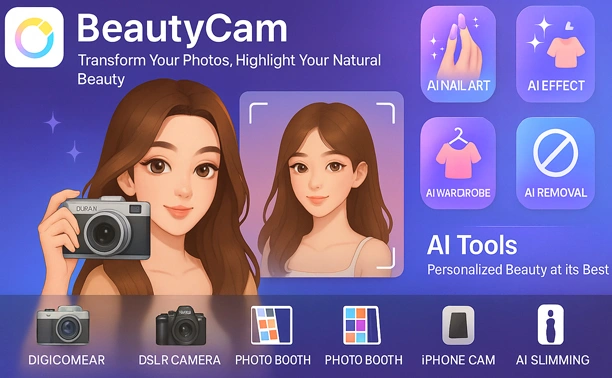
The camera screen in BeautyCam is organised around ready styles rather than a dry list of filter names. There are bright selfie profiles that even out the skin and soften hard shadows, portrait looks with adjustable background blur, retro presets that imitate small early digital cameras and film, plus stronger profiles that add contrast and punch for outfits, sneakers or street scenes. Swiping left or right changes the mood in a second, so you can test a few directions before you press the shutter.
After taking a photo, the editor appears with tools laid out around real situations. Skin smoothing, blemish removal, eye highlight, dark circle fixes and teeth whitening all sit next to each other and use straightforward sliders. You can stop the effect as soon as the picture still feels like your own face, only better rested. Face shape options allow small corrections to the jawline or nose, while body tools help fix posture or slightly uneven shoulders in full-body shots when there is no chance to retake the picture.
Editing photos and clips inside BeautyCam
BeautyCam does more than static selfies. The app handles short videos for stories and reels with live beauty effects, softening the skin and balancing exposure while you record. Indoor clips benefit from gentle colour correction so the image does not look flat or grey. Light stabilisation calms small shakes when you record while walking, which is especially useful for quick vlogs or product demonstrations recorded from the hand.
For people who like creative styles, there are presets that can completely shift the atmosphere of an image. A neutral selfie can turn into a warm pastel portrait, a moody street frame or a sharp night city shot with one tap. Some modes add grain or subtle colour shifts to mimic older cameras, while others stay very soft and glossy for a more modern social media look. Because this is the BeautyCam mod build with unlocked content, many of the more advanced looks that would normally sit behind a paywall are available right away.
VIP extras unlocked in this mod build
The regular BeautyCam release already offers a solid base, but it keeps several of the most interesting features locked behind a premium section. Free users usually deal with banners, full-screen promotions and limits on certain portrait templates or AI tools. In that situation you can feel the breaks in your workflow when you edit batch after batch of selfies, outfit shots or product photos.
BeautyCam VIP mod removes those blocks. Filters, portrait packs and templates marked as paid in the standard app become active, advanced AI options stay available and exports can be made without brand logos getting in the way of your composition. Because the ad layer is stripped out, moving from camera to gallery to editor feels faster and less distracting. For anybody who posts several times per week, this difference in speed quickly turns into a real advantage.
Practical tips for natural-looking selfies
A beauty camera is always tempting to push to the extreme, especially in the first days of testing. With BeautyCam Mod APK it usually works better to treat the tools as gentle corrections. Keep skin smoothing at a medium level so pores and texture remain visible, and use just a small amount of eye enlargement or face reshaping. Images that keep a little imperfection often look more expensive and realistic than faces that have been flattened into plastic.
Light is just as important as effects. Standing near a window or a soft light source and then applying a mild preset often gives a nicer result than trying to fix a poorly lit corner with aggressive digital brightening. Warm tones and a subtle beauty profile tend to keep faces lively indoors. For vertical videos it helps to choose the aspect ratio and quality before recording, so the final clip is ready for posting without heavy cropping or scaling that could hurt sharpness.
Simple setup steps on Android
Putting BeautyCam Mod APK on an Android phone follows a short sequence. First, download the installer file from a source you trust and wait until it finishes completely. Open the system settings on your device and enable the option that allows installation from unknown sources for the browser or file manager you used; the switch usually lives in the security or privacy section.
If a standard BeautyCam build from the official store is already installed, close it and uninstall that copy so both versions do not conflict. Afterwards, use a file manager to open the download folder, tap the BeautyCam Mod APK file and confirm the installation. When the icon appears in your app drawer, launch BeautyCam once, grant access to the camera, microphone and storage, then visit the internal settings and pick your default resolution, aspect ratios and starting levels for the beauty tools. From that point the app is ready for real projects, not just quick tests.
BeautyCam as part of a daily Android setup
People who experiment with many selfie and camera apps often end up deleting most of them after a few weeks. BeautyCam Mod APK tends to stay because it mixes playful editing with tools that work in everyday situations. The combination of premium BeautyCam features, modded VIP access and real-time AI help means you can move from a casual snapshot to a polished portrait or short clip without treating each edit like a big job.
Used with a bit of restraint on the sliders and some attention to framing and light, BeautyCam delivers photos and videos that look polished yet still feel like the real person in front of the lens. That balance is exactly what many people are searching for when they type phrases like BeautyCam mod, BeautyCam premium or BeautyCam VIP mod into a search engine, and it is the main reason this app often ends up in the group of tools that stay on an Android home screen instead of being removed after a few days.



Leave a Reply